













Vision Help Articles
Release to Vision Thursday 2nd July 2026
What We’ve Been Doing
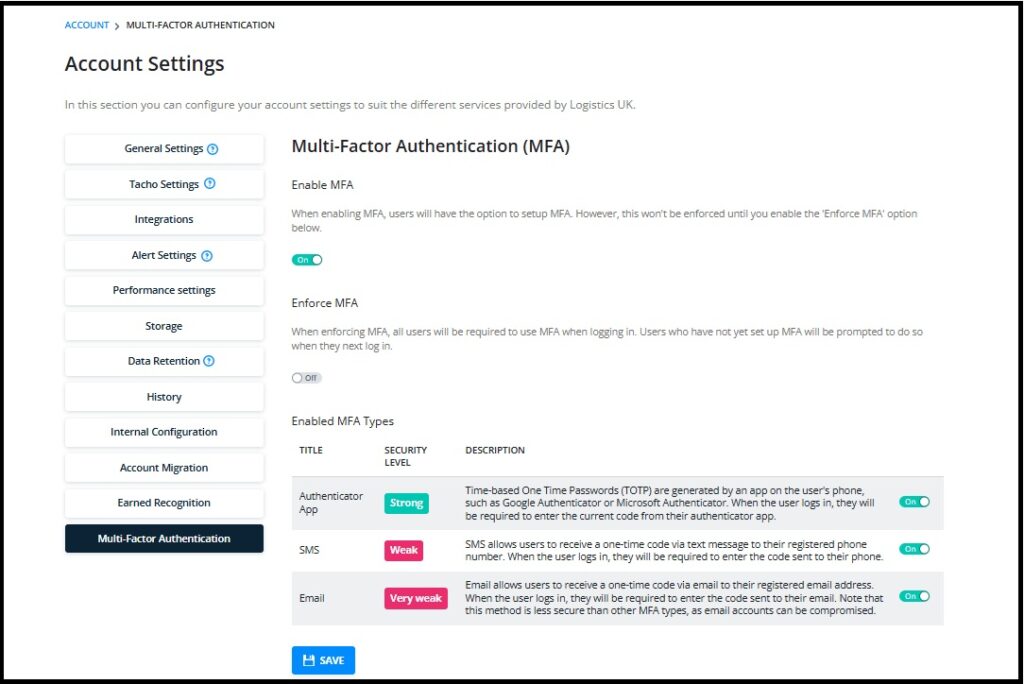
Multi Factor Authentication (MFA)
This feature is now available in the Account settings section of Vision. This can be enabled for your, and we strongly recommend that it is used to ensure your data is kept as secure as possible. We will be forcing all companies to enable MFA on their account by January 2027. Full details can be found here
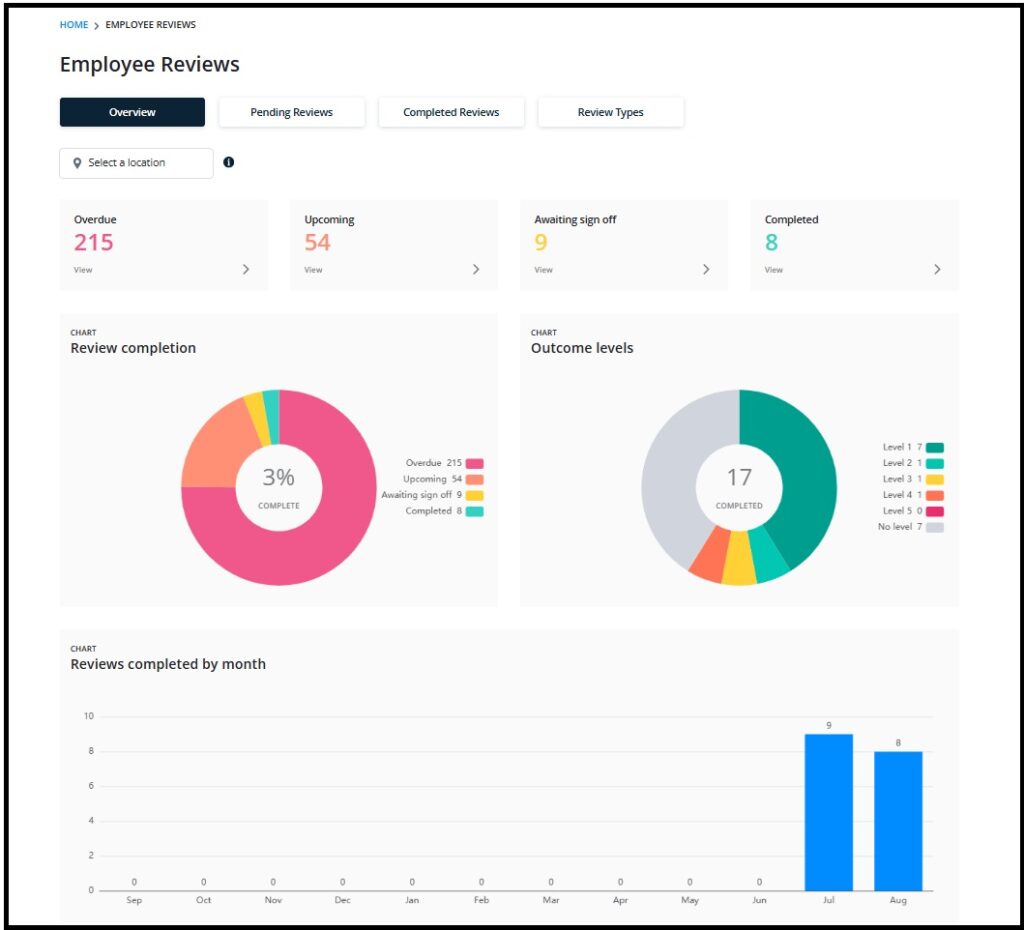
Reviews
We are designing an exciting new feature that will develop over time to enable customers with relevant permissions to create their own review set.
Initially we will use this to review driver profile details including whether they work at another company and checks on reportable medical conditions. Ultimately this will replace the debrief process giving customers the chance to schedule reviews for all sorts of areas included in Vision including, Policies, Licence Checking, Risk and of course infringements. More details will be available as this feature unfolds:
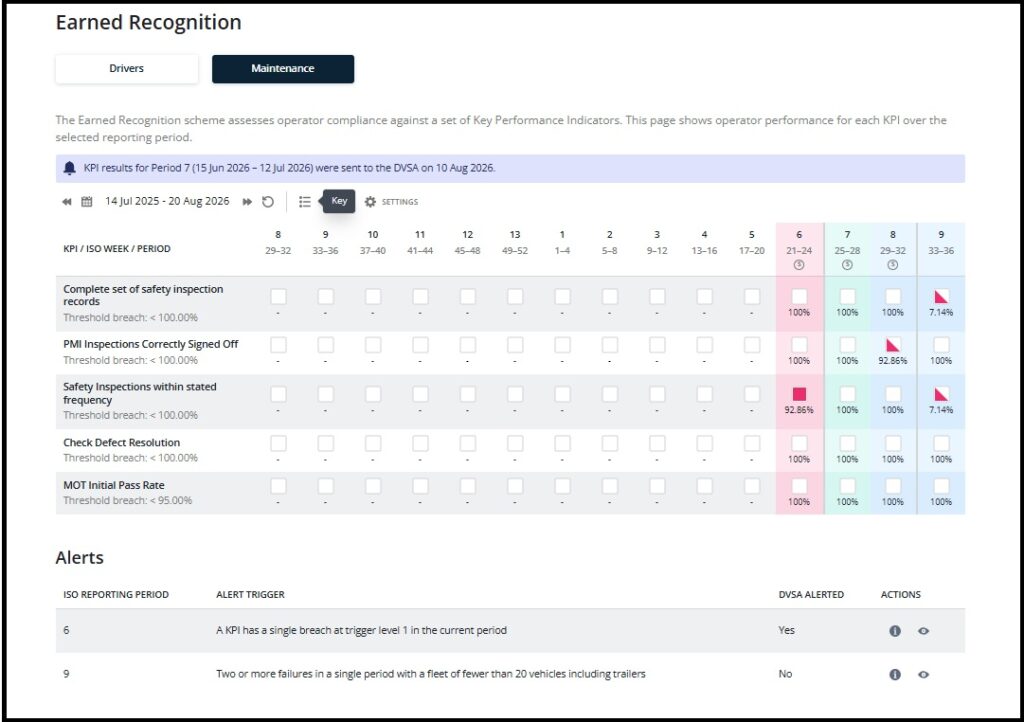
Earned Recognition (ER)
The work to move the Earned Recognition KPI’s to their new platform as well as developing the new Maintenance KPI’s will be going live for internal testing only, in July. This will require some careful monitoring before we invite DVSA to accredit the Maintenance calculations. If you are using Fleet and would be interesting in reviewing the KPI results, please contact [email protected]
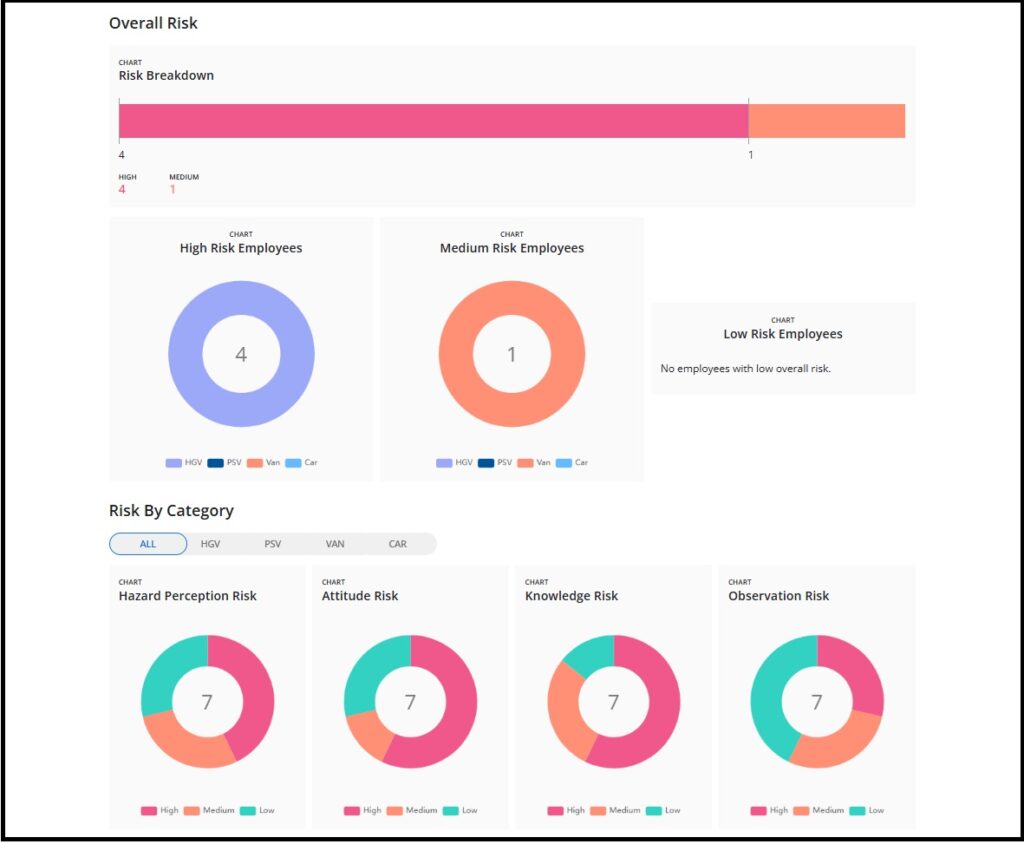
Driver Assessments
This feature, in conjunction with E training world has now been released. This feature offers interactive training for your employees through Vision. Results are displayed in their won feature screen as well as in Risk. For more details contact [email protected]
Standardisation of Dashboards and Reporting
Since Vision was first released in 2013 our reporting suite and dashboards have grown organically. We are now going to carry out some work to standardise both the Self Service reports and Dashboards. You will start to see changes in September.
Updates to Vision
Tacho Overview update
Since the launch of the new Tacho Overview page, we have come across some challenges. The teams have worked swiftly to rectify the issues with the final updates going out on the 2nd July. Following the release, we will start a recalculation of all uploads over the last 30 months to ensure all the data is showing as it should. This will take a little time as there are a lot of vehicles in the system so please bear with us and thank you for your patience.
Vision Feedback
We have moved the Vision Feedback button to the users’ profile page:
Old location

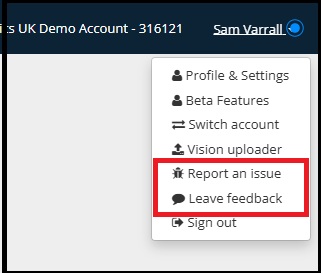
Currently this option will only show when you are in the old-style Vision pages, e.g. Manage my Drivers, Home page etc.
Licence Checking
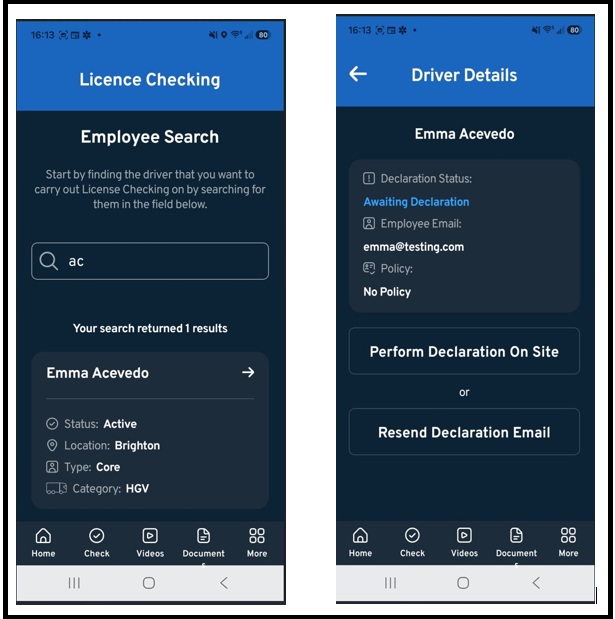
We have added a new way for drivers to complete Licence Checking Declarations. A manager can now provide a declaration to perform a check with the driver on site:
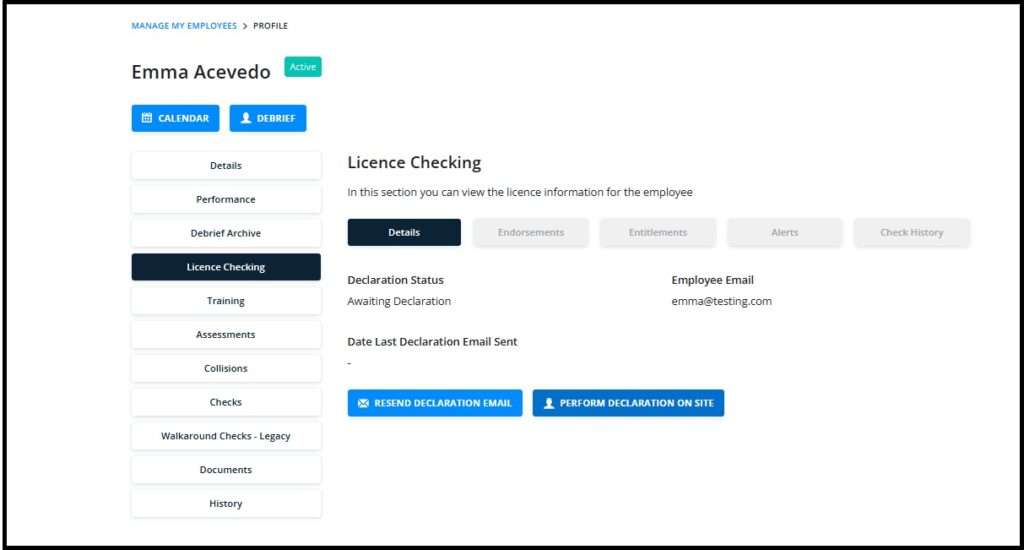
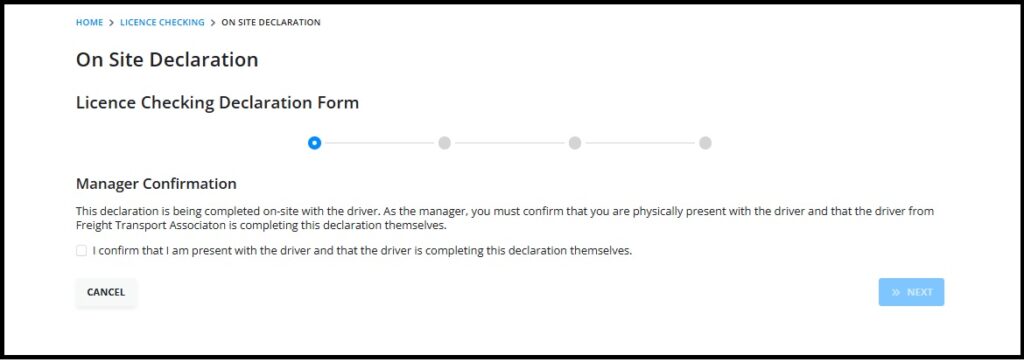
This option is available to any user who have access to Licence Checks
This is also available via the Vision App for managers ( Where the appis downloaded but a Vision User logs in using their Vision user credentials) Once installed you will be able to carry out the declaration process with the driver using your phone and additionally be able to scan the licence leaving less room for errors when completing the declaration.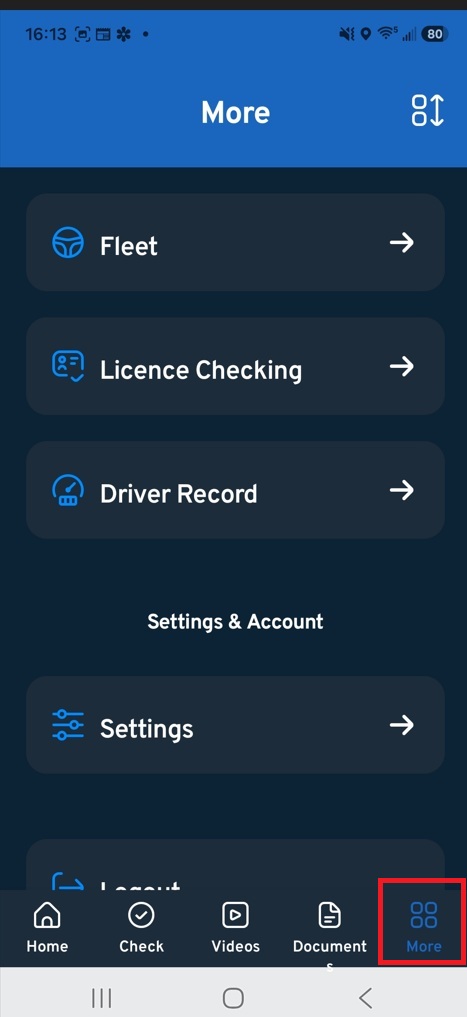
For more details click here
Upload to Vision
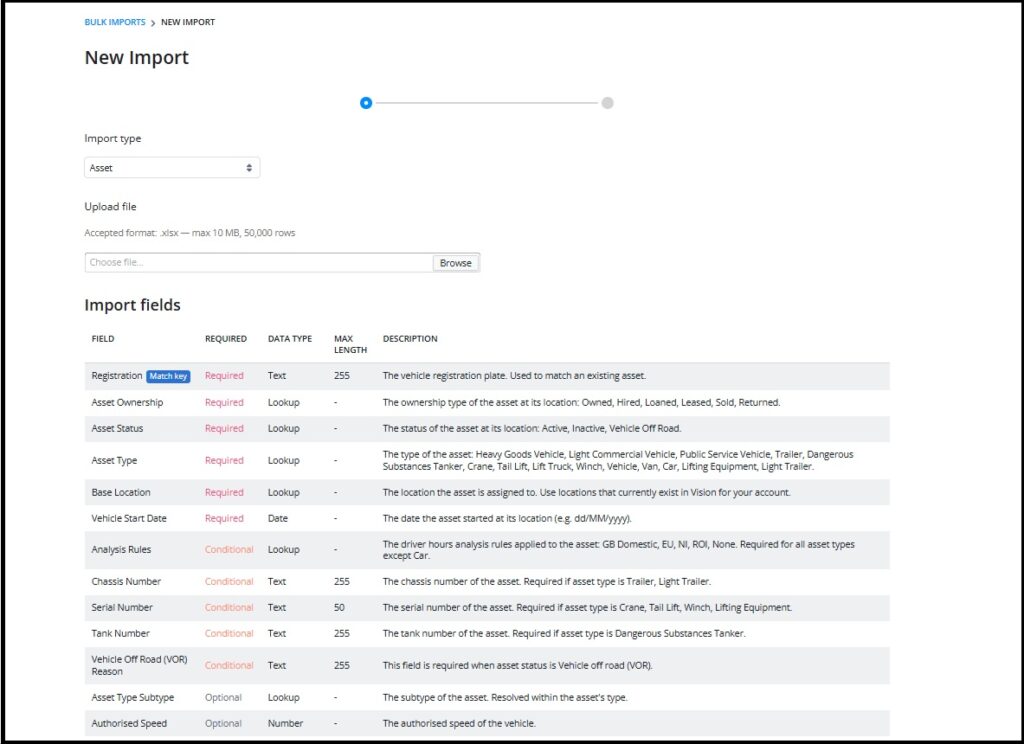
We have made changes to the Vision upload page. The tacho uploads will go out next week along with asset bulk uploads. Changes to the other uploads will take place over the next few months.
There is a new design for the tacho pages and the bulk upload pages will benefit by allowing you to upload any Excel spreadsheet pertaining to the upload type. You will simply map over the columns to match those required in Vision:
For full details click here
New working time report
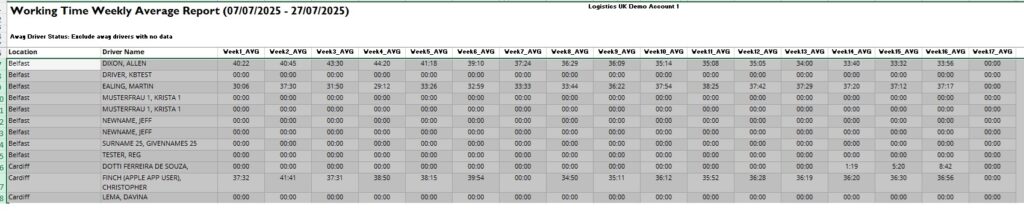
We have added a new working time report that simply displays the drivers average working time by each week of the reference period. This can be found in the Driver Depot Report group:
Asset profile
We have removed the highlighted preferences from the asset profile as they are no longer relevant:
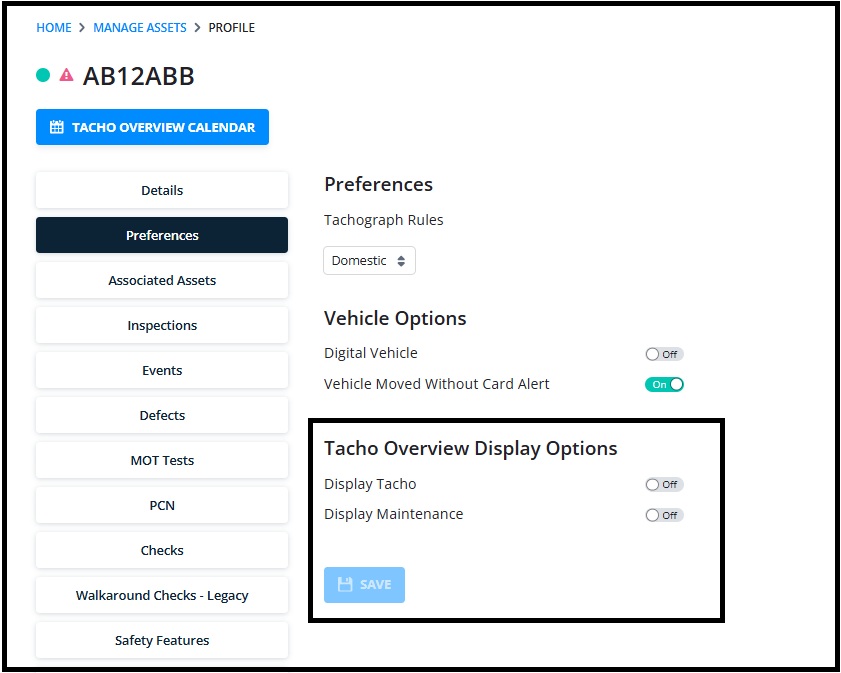
As a reminder, only vehicles with a VU upload will appear on the tacho overview, all other vehicles will appear on manage asset. If a vehicle is no longer having regular uploads as it falls under different regulations, you can toggle the Digital Vehicle to off to stop it being shown on download reports.
More Vision Help Articles Articles



Related Pages
Check out more news and media
Discover More

Become a Member
Our membership packages provide you with the tools to keep your operation safe, efficient and compliant.
Learn more

Press Releases
Latest updates, insights, and expert commentary shaping the future of logistics, transport, and supply chains across the UK.
Learn more

Services
Discover the full range of services from Logistics UK, designed to keep your operation safe, efficient, and compliant.
Services

Events
Discover upcoming Logistics UK events designed to bring industry leaders, policymakers, and businesses together.
Events
Stay Ahead. Stay Compliant. Stay Connected.
Join thousands of logistics professionals using Logistics UK to navigate industry change with confidence.
Join Us