













Vision Help Articles
Licence Declaration Updates
Our Licence Checking declaration process has been enhanced.
Drivers can continue to receive and complete their mandate via email or through the Vision app. In addition, for those drivers without a smart phone or email, licence checking users will now be able to supply the declaration for the driver on site through Vision or via the Vision app:
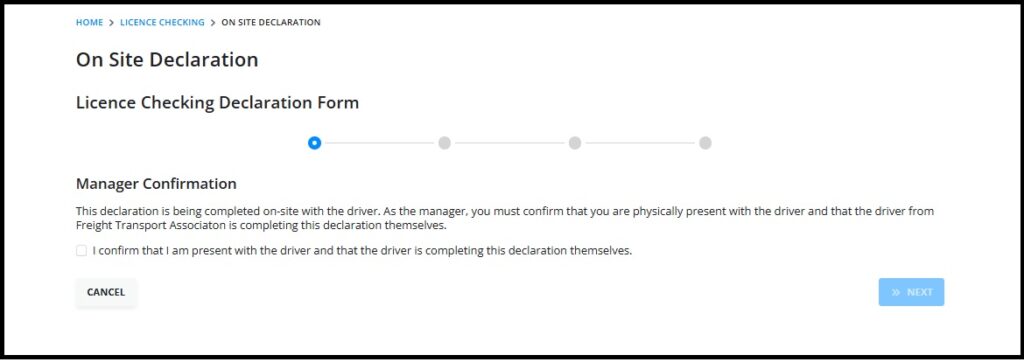
On Site Declaration through Vision
Where a driver is unable to receive emails or use a smart phone to complete their Licence Declaration any Licence Checking user can produce the declaration on site for the driver to complete. This can be done in the following places:
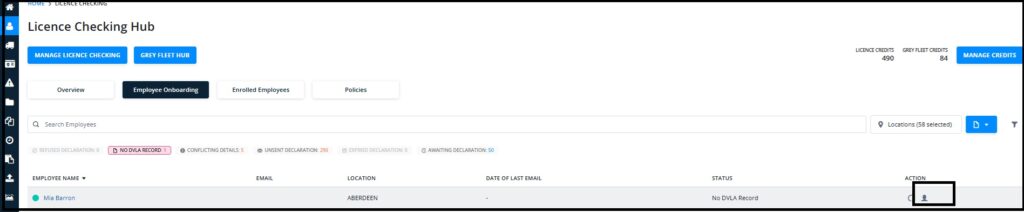
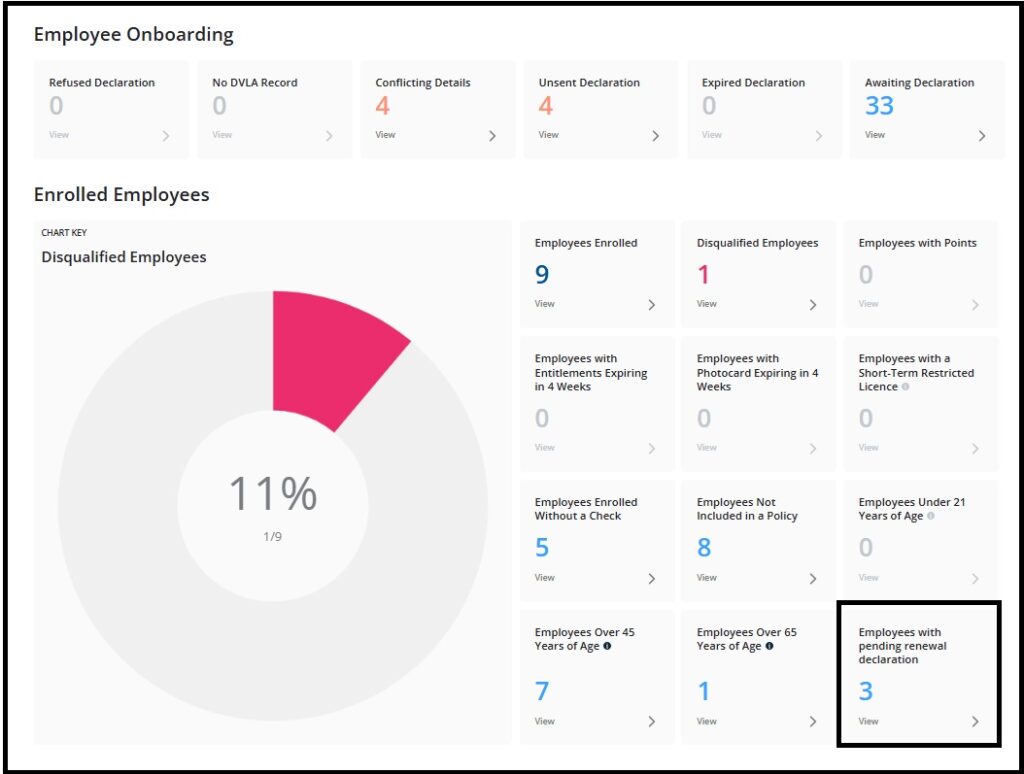
Through the Licence Checking Hub, via the following onboarding tiles:
- No DVLA Record- a declaration has been sent but DVLA have no record of the driver
- Conflicting Details- Where a completed declaration is incorrect
- Unsent Declarations- Where the declaration can’t be sent because the driver has no email address
- Expired declaration
- Awaiting Declaration- Declaration has been sent but hasn’t been returned
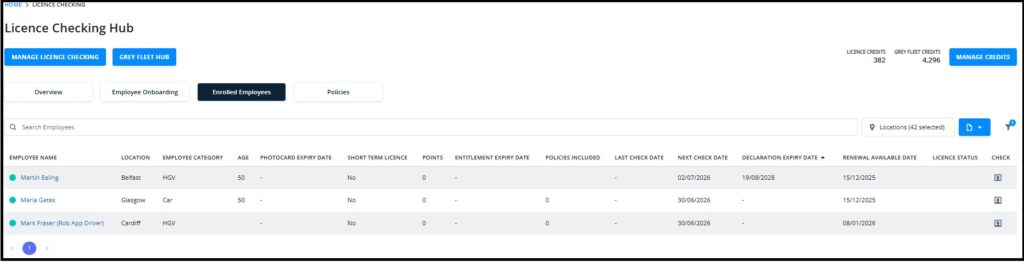
The on site declaration is denoted by a head and shoulders icon:
Clicking the icon starts the declaration process for the driver:
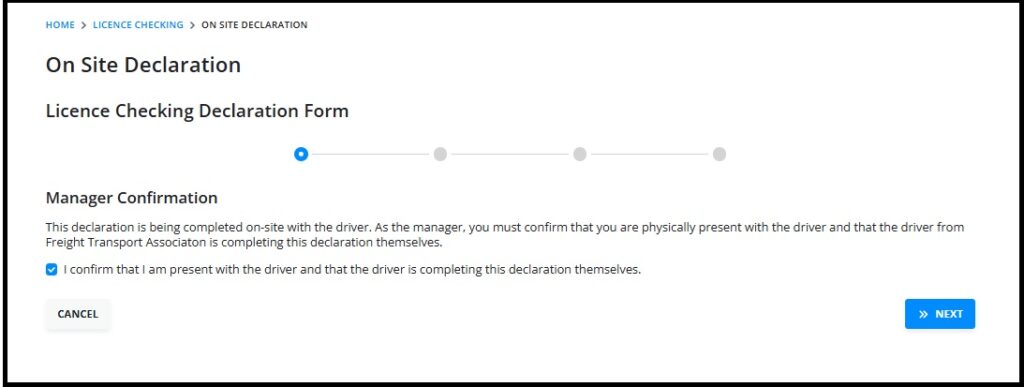
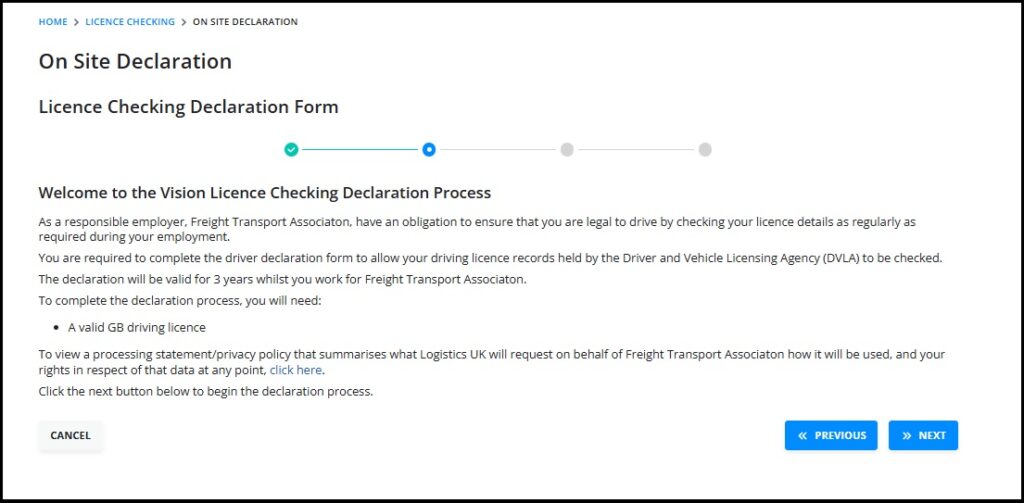
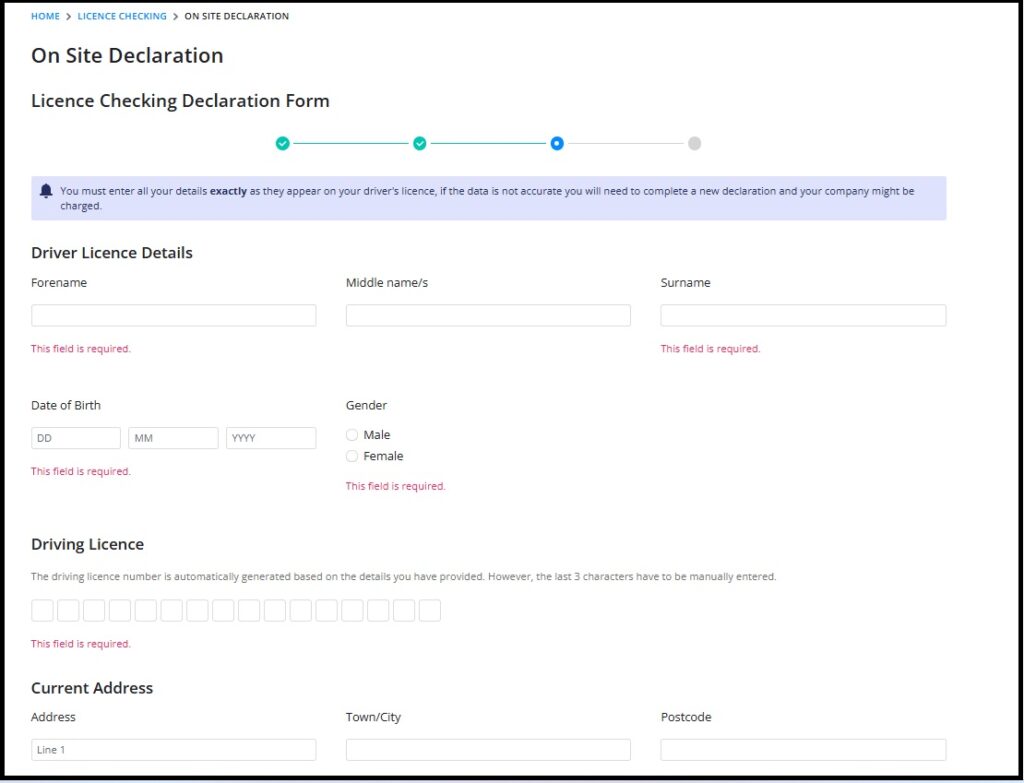
The driver will complete and sign the declaration in the normal way.
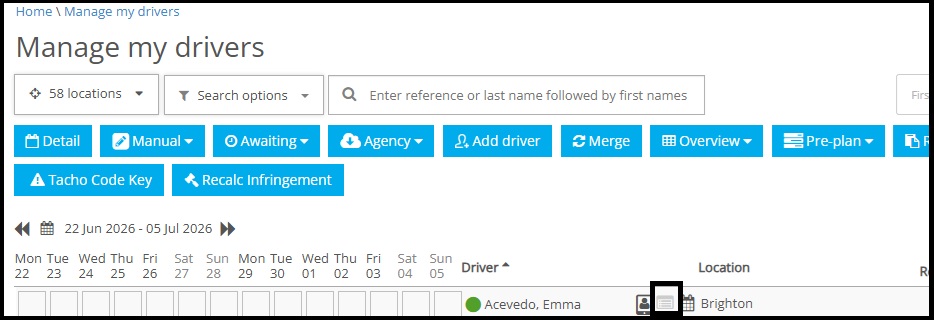
In addition you can carry out the onsite declaration process by clicking the licence icon next to the drivers name:
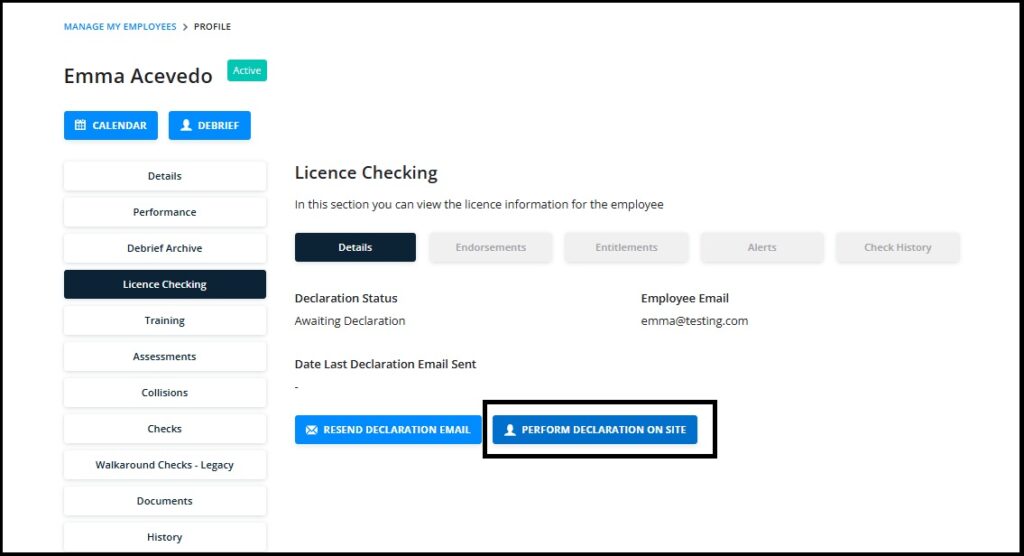
A new tile has been added in the Hub “Employees with pending renewal declaration” This will highlight those drivers due a new declaration after 3 years prior to it expiring allowing you to be proactive with those drivers that need the declaration to be complete on site.
Vision App
As a Vision user you can downlaod the Vision App and log in using your Vision user credentials.
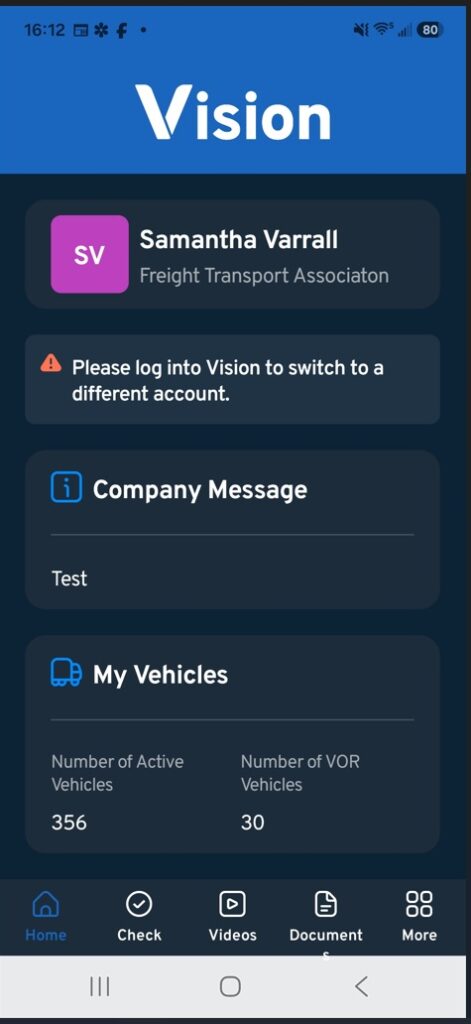
Once logged in you will see a Home screen like this:
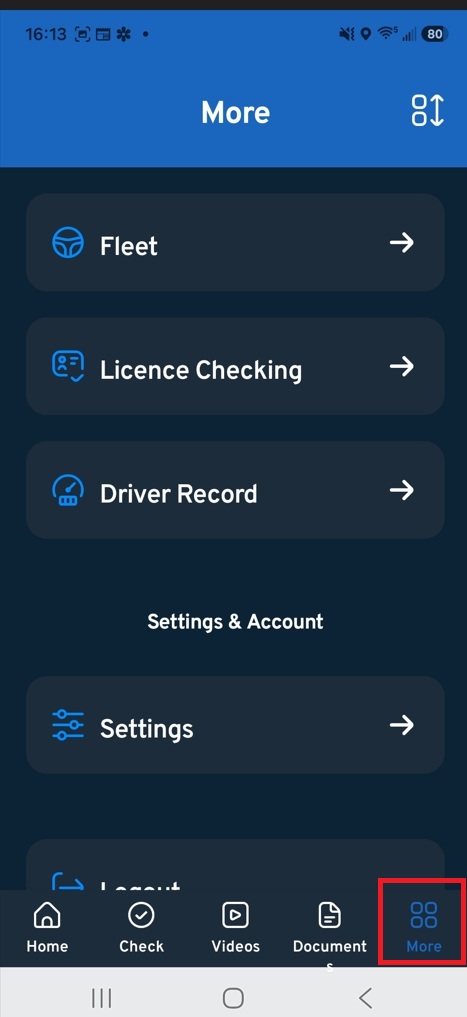
Select “More” on the bottom right handside of the screen and then select Licence Checking:
Next, search for and select the employee whose declaration needs completing:
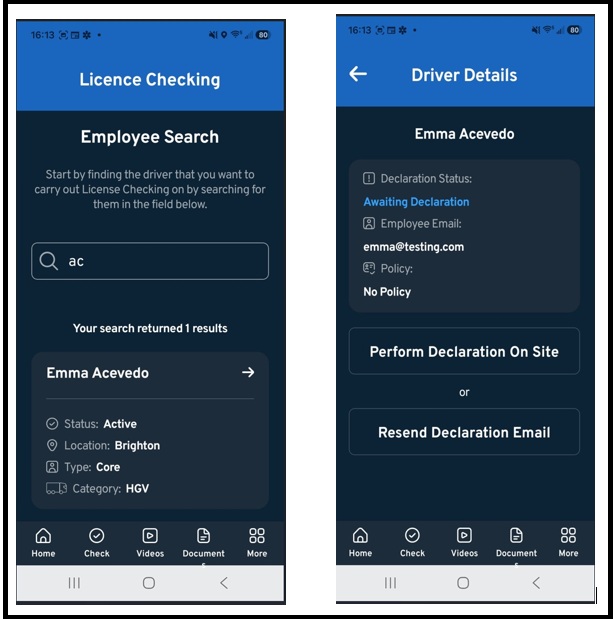
Click the drivers name and choose “Perform Declaration on site”:
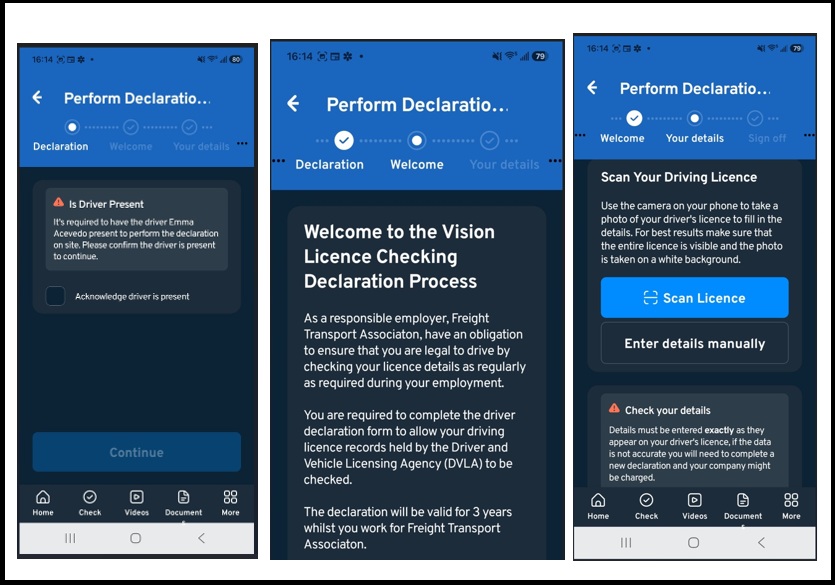
Once completed, the declaration can be signed by the driver and uploaded.
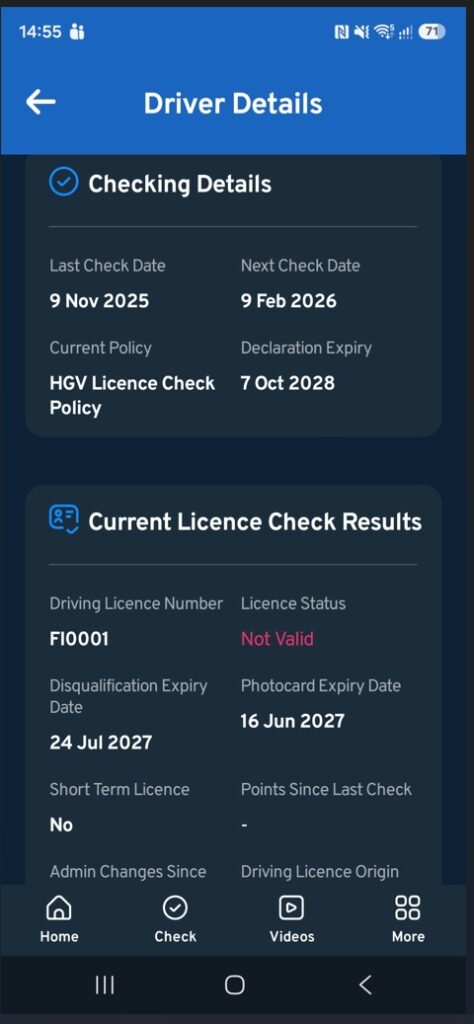
In addition, when you search a driver, where a licence check has taken place, you will get details of last check, next check due, declaration expiry and whether the driver is included in a check policy:
More Vision Help Articles Articles



Related Pages
Check out more news and media
Discover More

Become a Member
Our membership packages provide you with the tools to keep your operation safe, efficient and compliant.
Learn more

Press Releases
Latest updates, insights, and expert commentary shaping the future of logistics, transport, and supply chains across the UK.
Learn more

Services
Discover the full range of services from Logistics UK, designed to keep your operation safe, efficient, and compliant.
Services

Events
Discover upcoming Logistics UK events designed to bring industry leaders, policymakers, and businesses together.
Events
Stay Ahead. Stay Compliant. Stay Connected.
Join thousands of logistics professionals using Logistics UK to navigate industry change with confidence.
Join Us