













Vision Help Articles
Walkaround Check Dashboard
To display results from Logistics UK’s Walkaround check app in the most effective way, have created a new dashboard reporting suite.
This is available to all companies that have Logistics UK’s Walkaround checks and Driver App features enabled as part of their service.
Accessing the Dashboard:
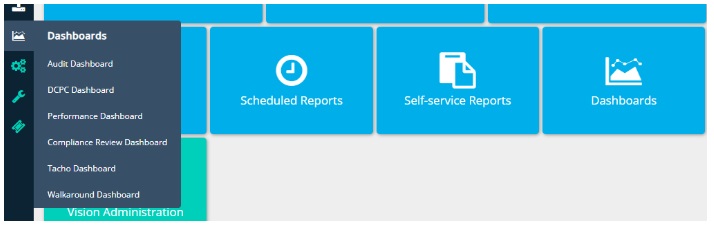
Go to the Walkaround Checks Dashboard tile or Dashboards sidebar option:
Tabs
The dashboard will by default open to the summary screen.
There are additional tabs for:
-
Employee
-
Asset
-
Overall Trend
-
Details
Filters
The filters that appear below the tabs effect the data displayed in all the screens. You can view information as follows:
-
By date range
-
Locations
-
Location Groups
-
Registration
-
Drivers
-
Walkaround Type (HGV, Van & PSV) – the default is to display all types that have been undertaken.
Summary:
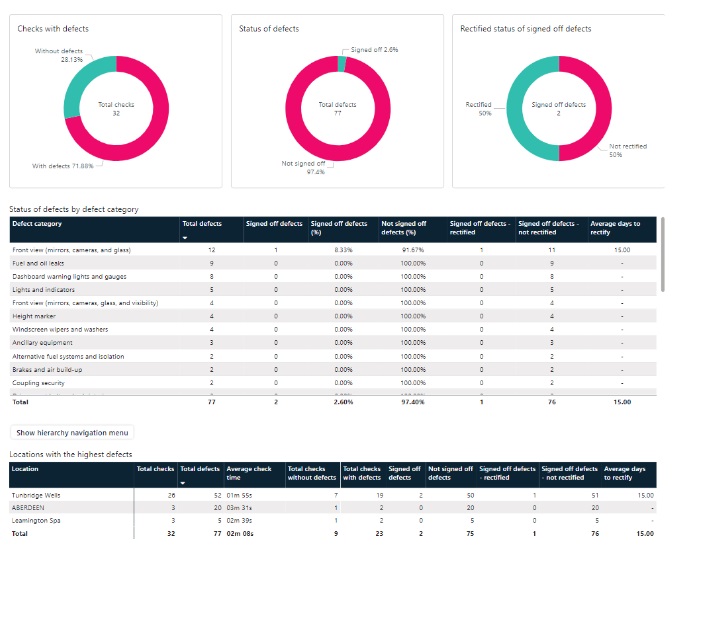
The summary tab illustrates the checks with and without defects, status of the defects found, and rectified status of signed off defects.
The tables below the graphs show the status of defects by defect category and a view of the locations with the highest defects:
Employee:
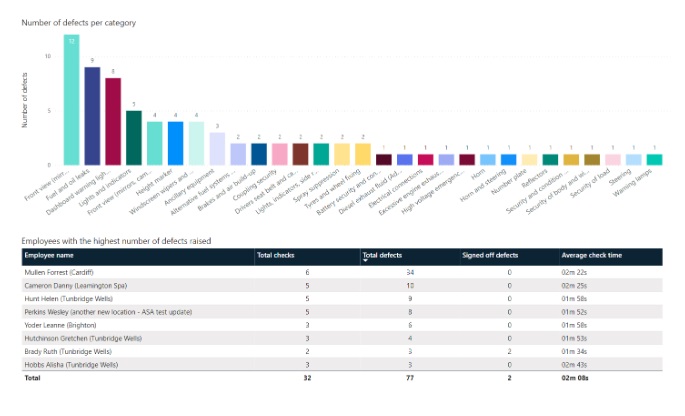
The employee tab shows the number of defects by category in a chart, and a table showing the number of employees who have raised the highest number of defects.
Asset
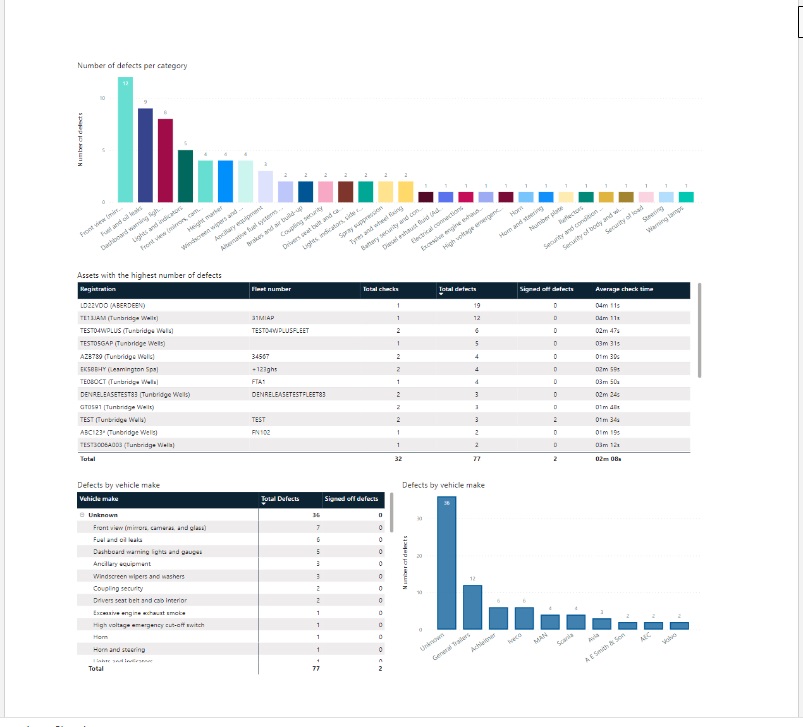
The asset tab shows a similar view to employee, the number of defects by category in a chart, and a table showing the assets that have had the most defects raised against them.
If you have set the vehicles make in the asset profile, there is a chart to show Defect categories by make.
Any assets with no make set are shown in the unknown category.
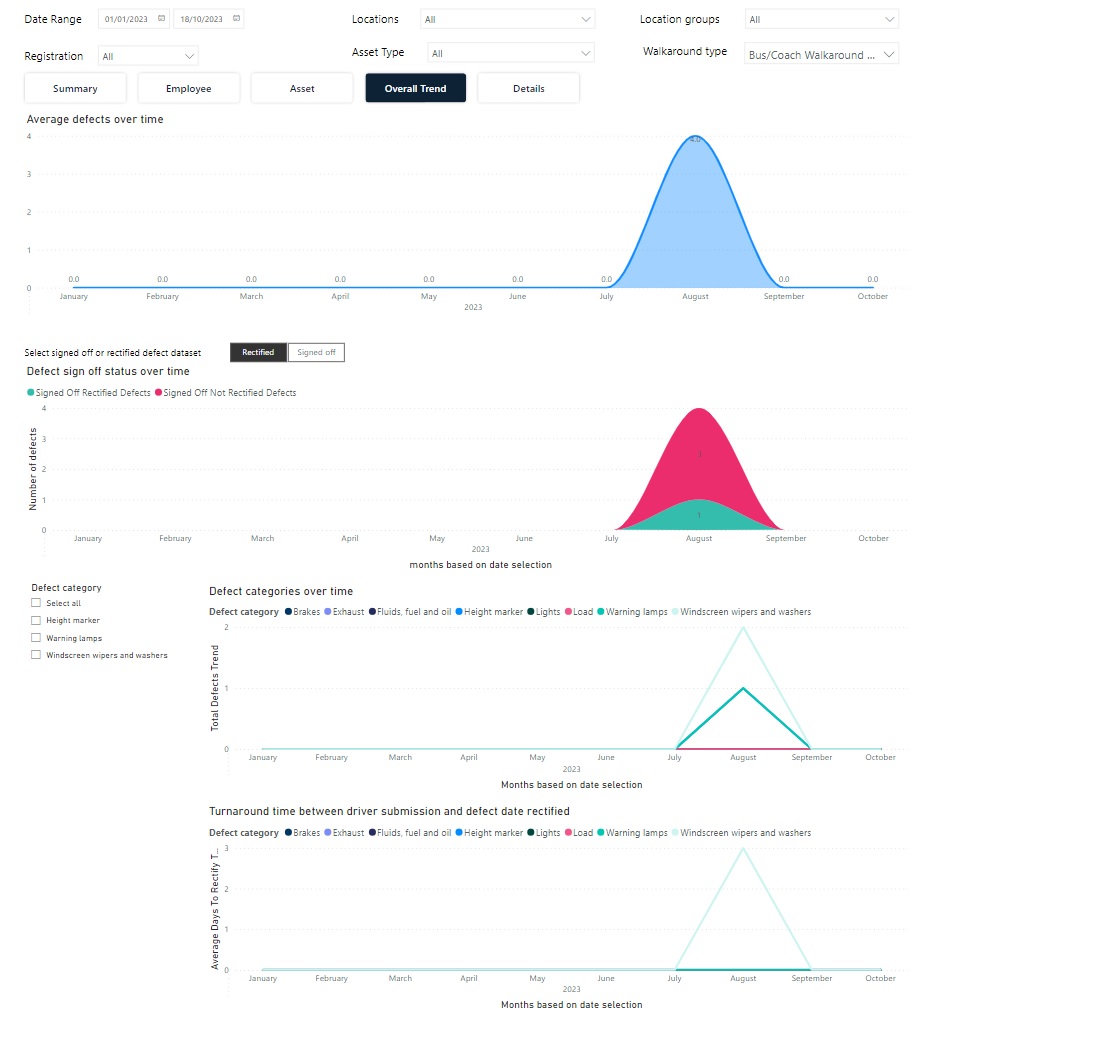
Overall Trend
The tab shows trend graphs for the following:
-
Average defects over time
-
Status of defects over time – can be switched between signed off status and rectified status. There is also a category picker to allow comparison of certain categories.
-
Defects per category over time – defaulted to 5 categories, but this can be increased. Colours do not necessarily remain fixed for defect categories as the user adds more.
-
Average time taken to rectify defects.
Details
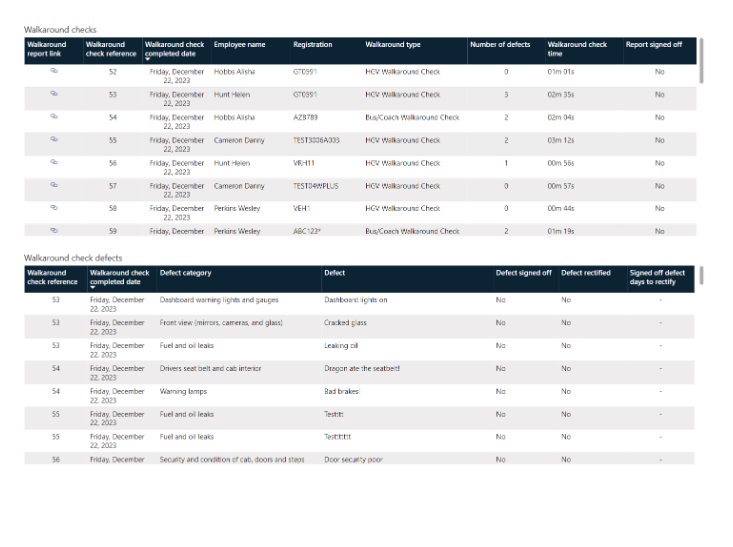
This tab shows a quick view of the details across walkaround checks and walkaround checks with defects.
More Vision Help Articles Articles



Related Pages
Check out more news and media
Discover More

Become a Member
Our membership packages provide you with the tools to keep your operation safe, efficient and compliant.
Learn more

Press Releases
Latest updates, insights, and expert commentary shaping the future of logistics, transport, and supply chains across the UK.
Learn more

Services
Discover the full range of services from Logistics UK, designed to keep your operation safe, efficient, and compliant.
Services

Events
Discover upcoming Logistics UK events designed to bring industry leaders, policymakers, and businesses together.
Events
Stay Ahead. Stay Compliant. Stay Connected.
Join thousands of logistics professionals using Logistics UK to navigate industry change with confidence.
Join Us