













Vision Help Articles
Single Sign On (SSO) In Vision
Overview
Vision can have two Single Sign on (SSO) authentication protocols, SAML and OIDC. This relies on configuration from a technical element within your organisation.
Only the Vision website and Vision Uploader can currently support SSO
User Management
Once SSO is published it will handle user creation and access removal. Users will be created with the default role specified by the company.
They will only appear in the user management screens once they have logged in using the SSO URL, at which point their permissions group and locations can be updated.
Enable SSO Feature
- Request the Logistics UK support team ([email protected]) to activate the single sign-on feature for your account
Access SSO Configuration
- Navigate to the designated URL for SSO setup – https://visionselfadmin.logistics.org.uk/account/sso-configuration
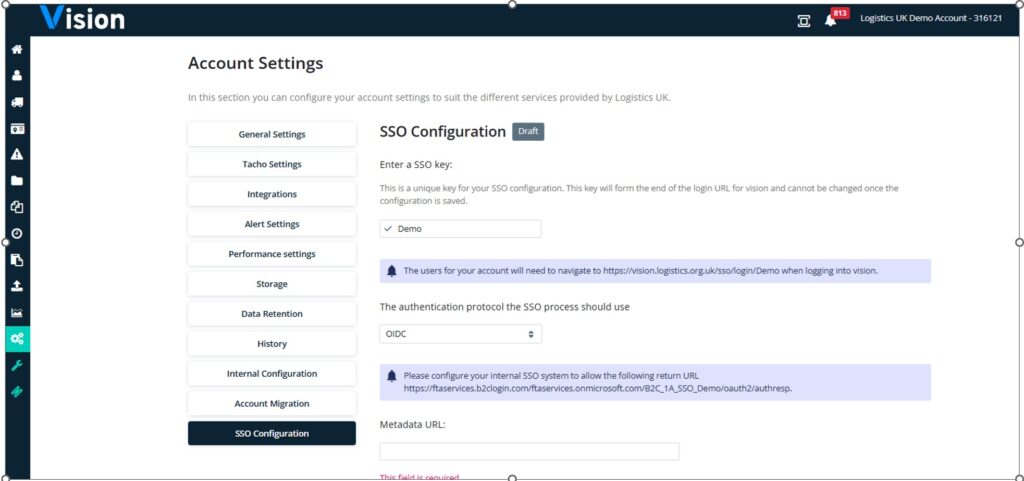
Configure URL and Protocol
- Enter the specific end of the URL you plan to use, in the screenshot we have used Demo
- Select either SAML or OIDC as the authentication protocol.
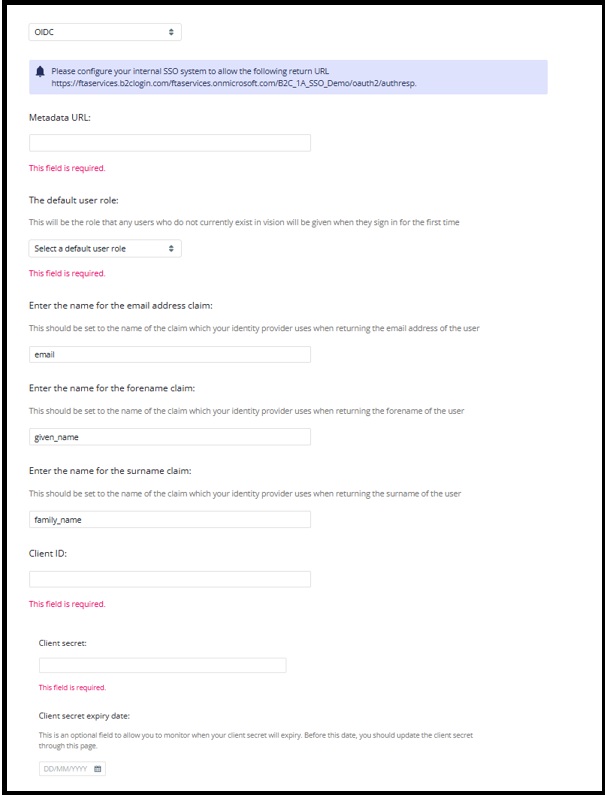
OIDC Return URL (Remove Demo with your URL postfix) – https://ftaservices.b2clogin.com/ftaservices.onmicrosoft.com/B2C_1A_SSO_Demo/oauth2/authresp.
Tip: Some OIDC entity providers may not allow uppercase letters
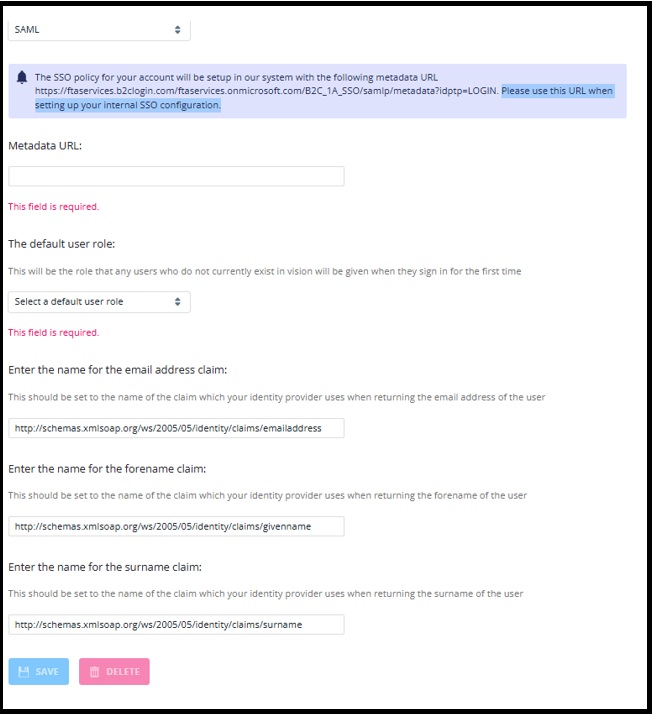
SAML – https://ftaservices.b2clogin.com/ftaservices.onmicrosoft.com/B2C_1A_SSO/samlp/metadata?idptp=LOGIN
- Please use this URL when setting up your internal SSO configuration.
Set Metadata
- In your setup of SSO, please supply the metadata URL as specified in your tenant.
User Role
- Set the default user role to “viewer.”
- You can manage users’ permissions level and location permissions as needed in Vision User Management, but you will no longer be able to add or delete users once SSO is live.
Complete Credentials and Save
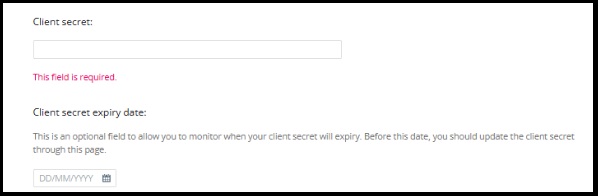
- Review or complete the credentials depending on the protocol.
- Click “Save” to store the configuration in draft mode
Testing
- Ask someone with Vision access in your organisation to test the draft SSO URL before publishing.
SAML Form fields
OIDC Form fields
Single Sign on and Vision Uploader
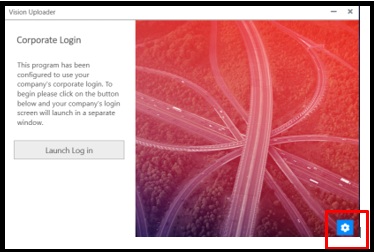
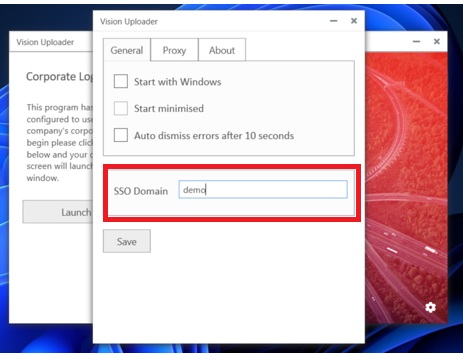
Accounts using the Vision Uploader app and SSO, must make sure users add the SSO domain to the settings in the application
Click the cog Icon:
Add you SSO domain for Vision to SSO domain box and click save:
More Vision Help Articles Articles



Related Pages
Check out more news and media
Discover More

Become a Member
Our membership packages provide you with the tools to keep your operation safe, efficient and compliant.
Learn more

Press Releases
Latest updates, insights, and expert commentary shaping the future of logistics, transport, and supply chains across the UK.
Learn more

Services
Discover the full range of services from Logistics UK, designed to keep your operation safe, efficient, and compliant.
Services

Events
Discover upcoming Logistics UK events designed to bring industry leaders, policymakers, and businesses together.
Events
Stay Ahead. Stay Compliant. Stay Connected.
Join thousands of logistics professionals using Logistics UK to navigate industry change with confidence.
Join Us