













Vision Help Articles
Vision App
Setting Up
Download the Logistics UK – Vision App from the Play Store or App Store.
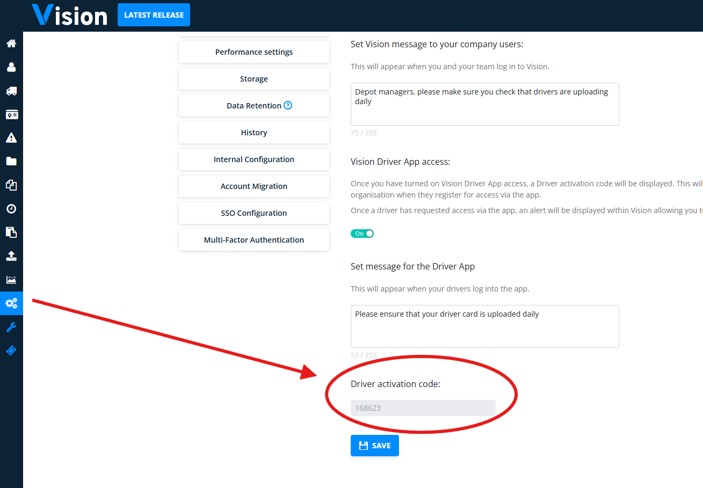
Contact your company admin for the Driver Activation Code. This can be found in the Account Settings, then General Settings and scroll to the bottom to locate the Driver activation code.
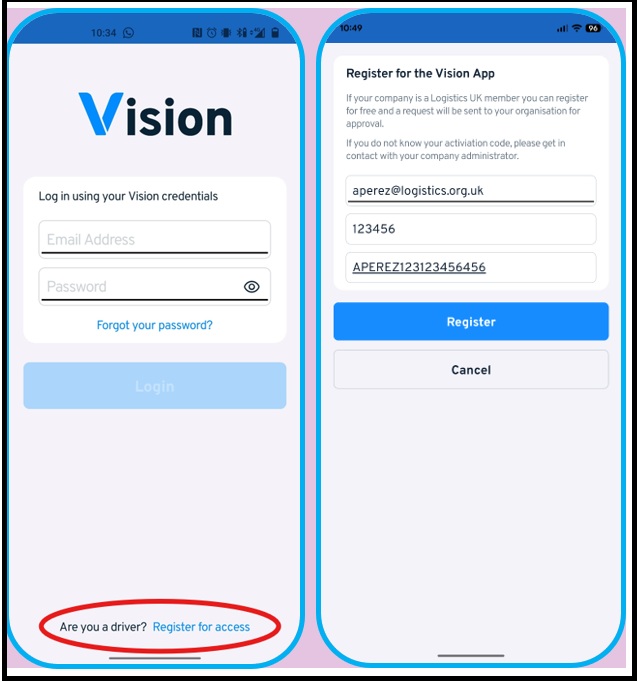
Once you have the driver activation code, head back to the app, click on “Are you a driver? Register for access.” Input your email address, activation code, and driver licence number. An alert will then be sent to your company admin who will authorise your access.
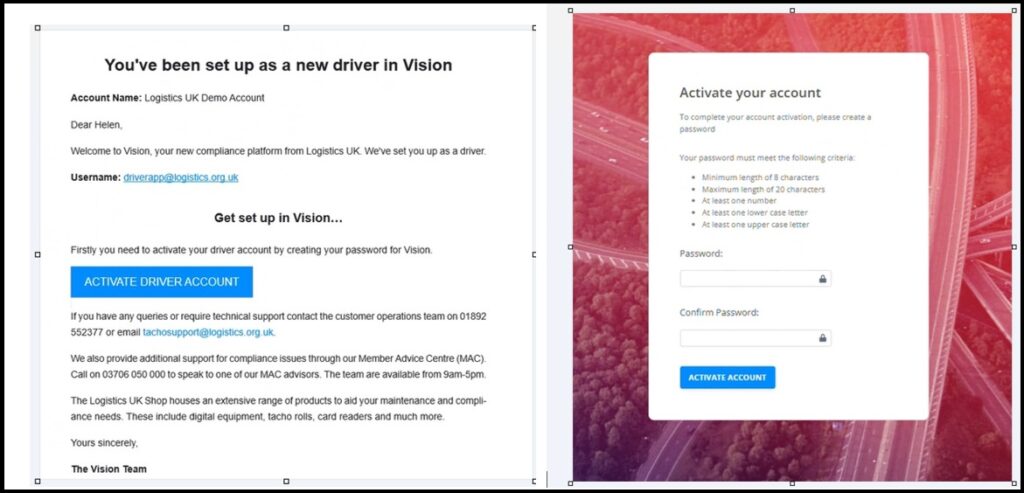
Once authorised, the driver will receive an email to confirm their details and create a password.
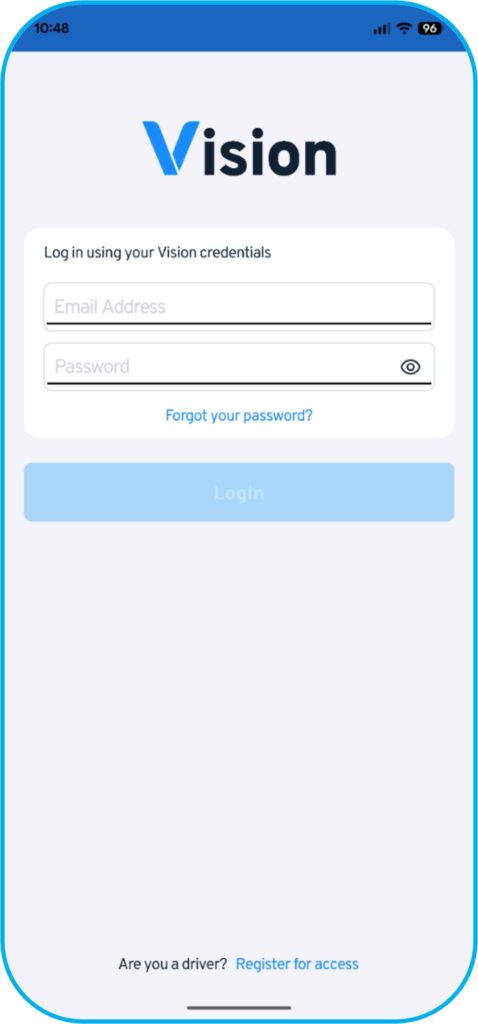
The driver will then be able to log in using their credentials.
Homepage
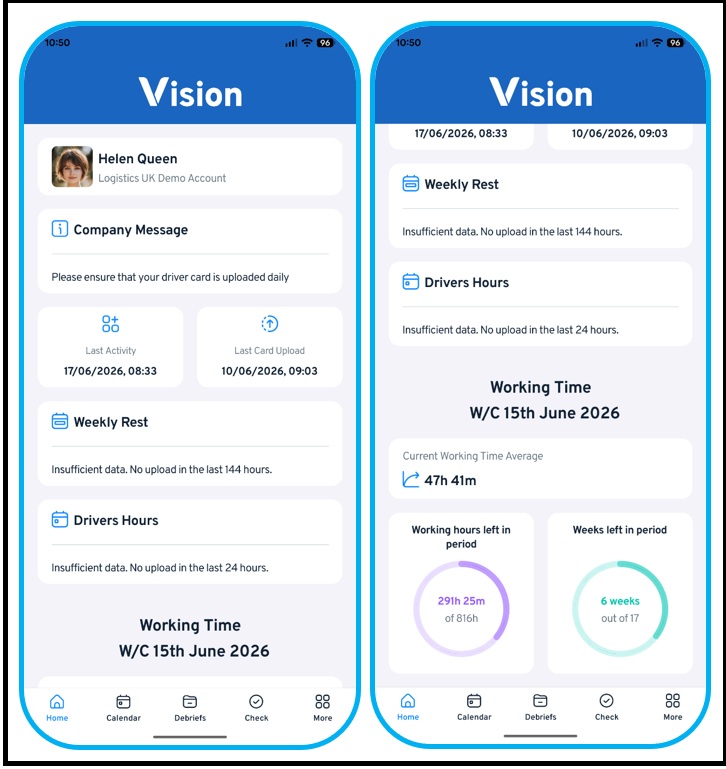
The homepage will show you a message set by your company admin. It will also indicate the last activity, and the last card upload.
If the app has enough information, weekly rest details will show. Additionally, if there is sufficient information, the drivers’ hours will also be shown.
It will display the average working time for the current reference period, and will indicate the weeks left in the reference period
Calendar
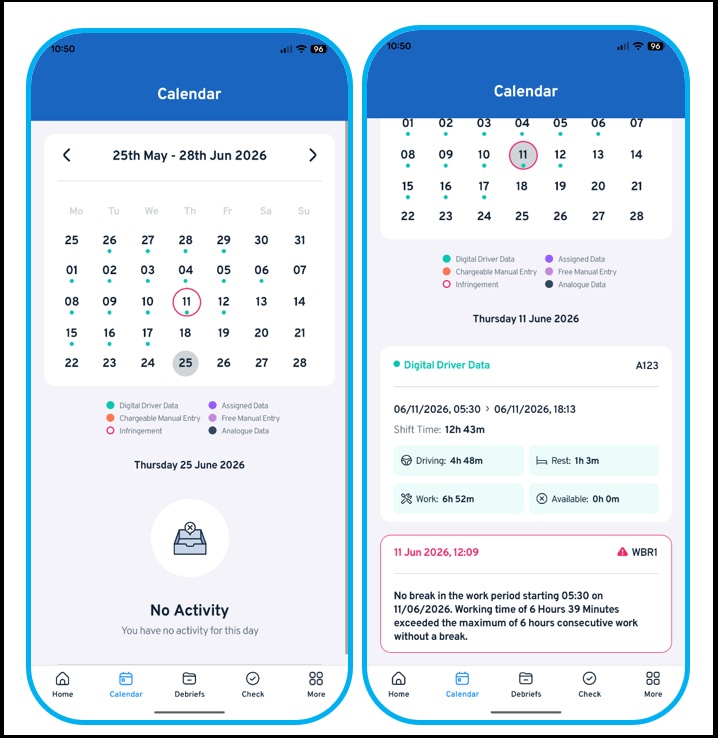
The dots indicate the type of data. When you click on a day to see the summary of the activity, and the details of the asset used that day.
A day with a red circle will indicate an infringement – when clicked, it will also give you the summary of the day detail, as well as the infringement code.
Debriefs
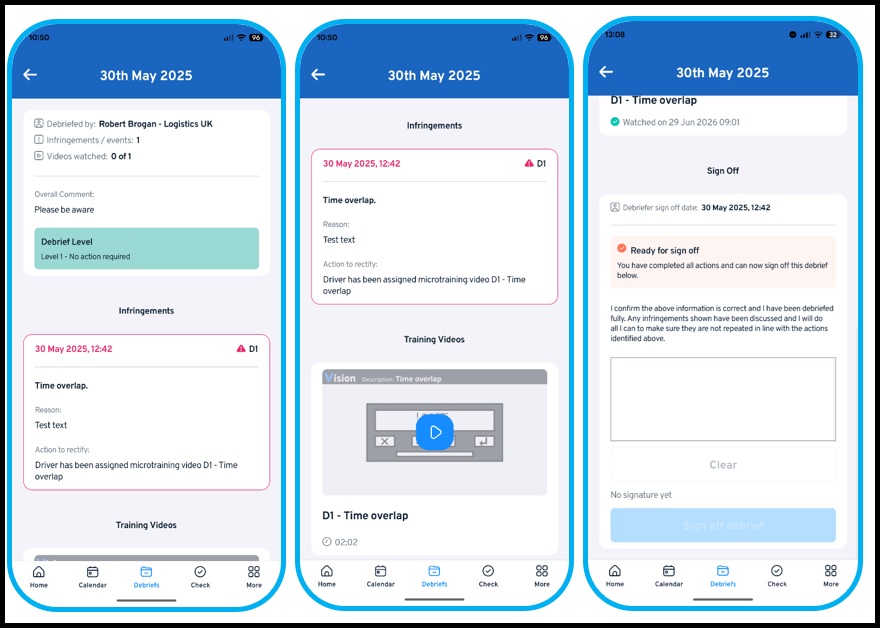
The Debrief section will show a list of all the completed debriefs, and the ones that needs to be completed.
Debriefs for infringements will summarise the infringement that took place, and it will show the relevant micro-training which needs to be watched and completed before you can sign it off.
Checks
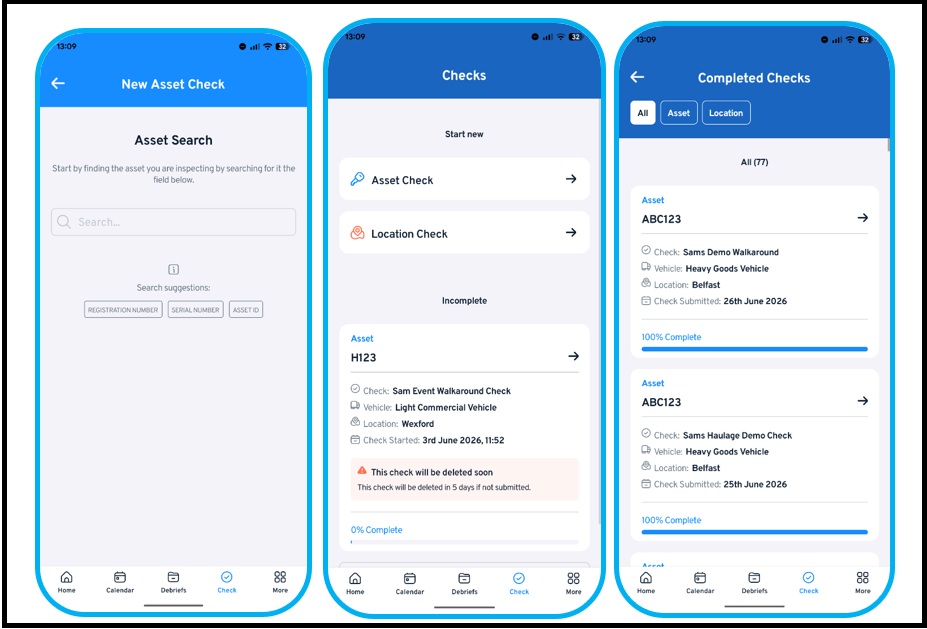
Input the registration of the asset you will be using. All the relevant checks for the asset will be listed (e.g. walkaround check, gate exit check etc). It also stores all the checks that the driver has completed.
Licence Checking
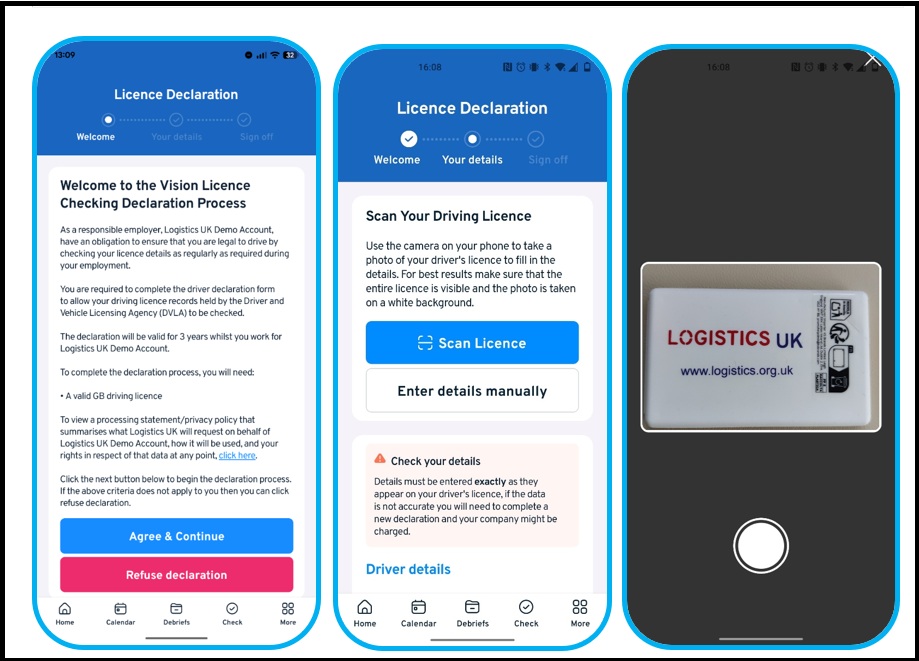
When licence checking is conducted, a declaration will be sent to the Vision App. The advantage of having the Vision App is that drivers can scan their licence, but they will also have the option to enter the details manually.
Micro-Training Videos
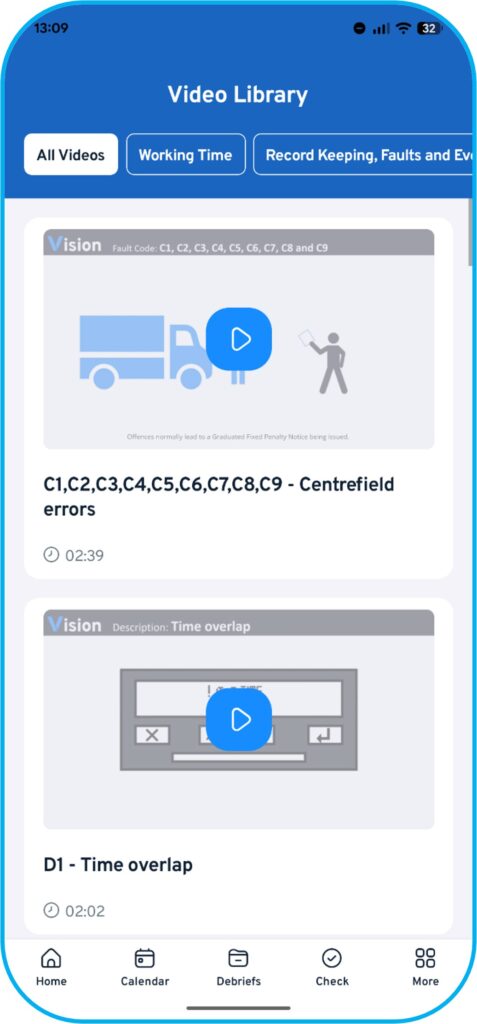
All the micro-training will be available here.
Fleet
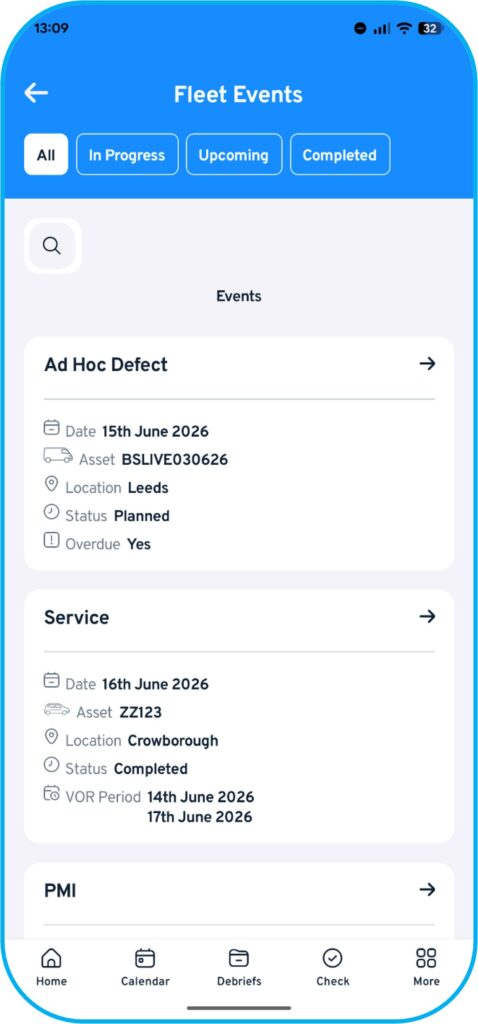
If a fleet event can be completed via Vision App (e.g. ad hoc defects, washing etc.) can be completed here.
Settings
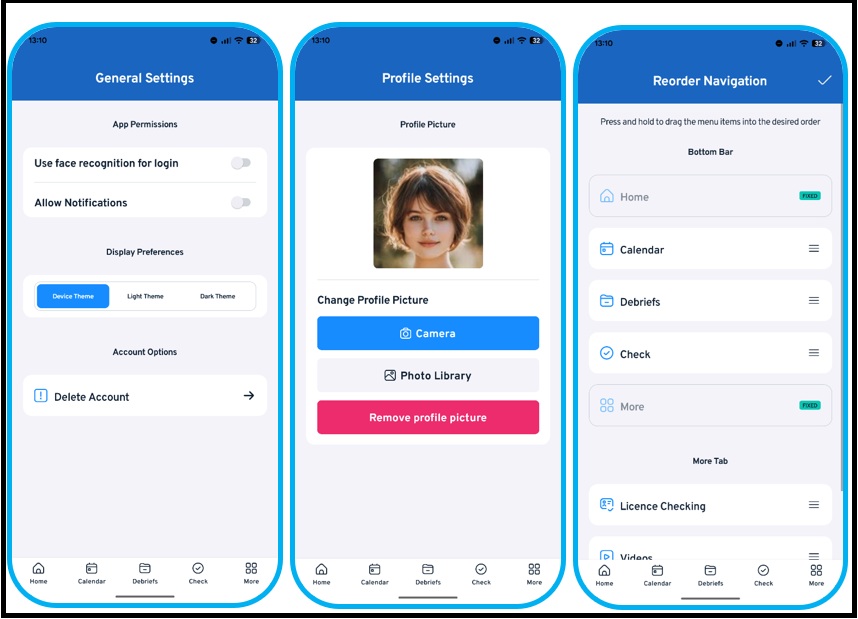
All settings regarding notification, theme are be available here. You can also delete your account on this screen.
Profile Setting & Reorder Navigation
In this section, drivers will be able to set a profile picture.
Features can be moved around in the “Reorder Navigation” section.
More Vision Help Articles Articles



Related Pages
Check out more news and media
Discover More

Become a Member
Our membership packages provide you with the tools to keep your operation safe, efficient and compliant.
Learn more

Press Releases
Latest updates, insights, and expert commentary shaping the future of logistics, transport, and supply chains across the UK.
Learn more

Services
Discover the full range of services from Logistics UK, designed to keep your operation safe, efficient, and compliant.
Services

Events
Discover upcoming Logistics UK events designed to bring industry leaders, policymakers, and businesses together.
Events
Stay Ahead. Stay Compliant. Stay Connected.
Join thousands of logistics professionals using Logistics UK to navigate industry change with confidence.
Join Us