













Vision Help Articles
Driver Debrief updates
The debrief process has been improved to include:
- A setting to stop all infringements or events being debriefed at once
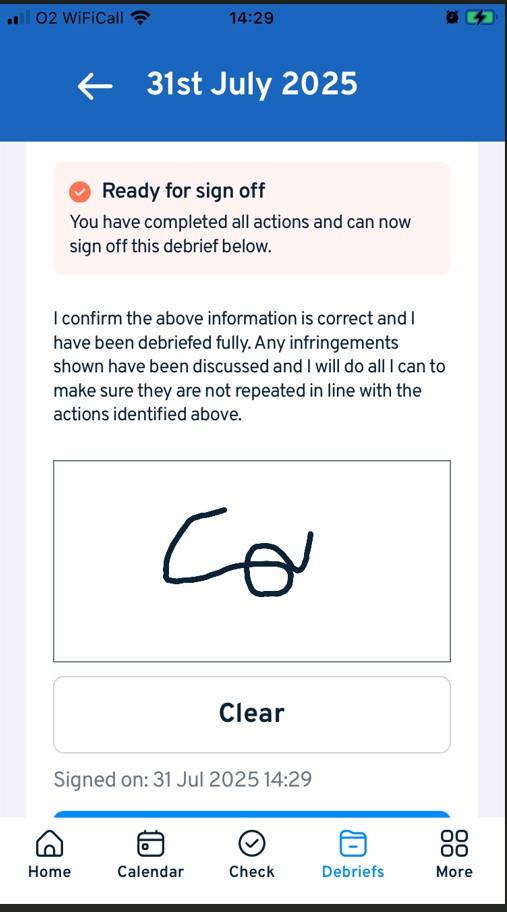
- Option for an onscreen signature in the debrief, by email or on the Vision app
- Option for a mangers signature
Debrief Settings
Debrief settings are found here under Employee Settings:
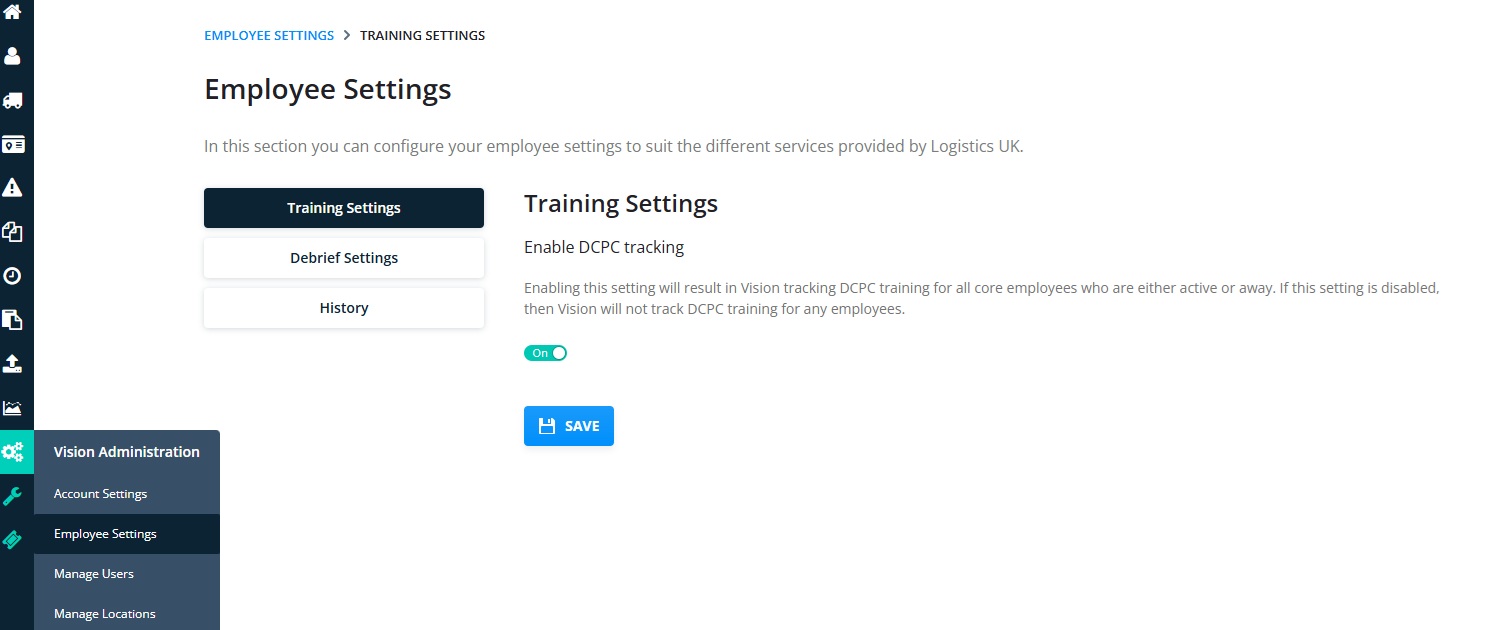
Click Debrief settings:
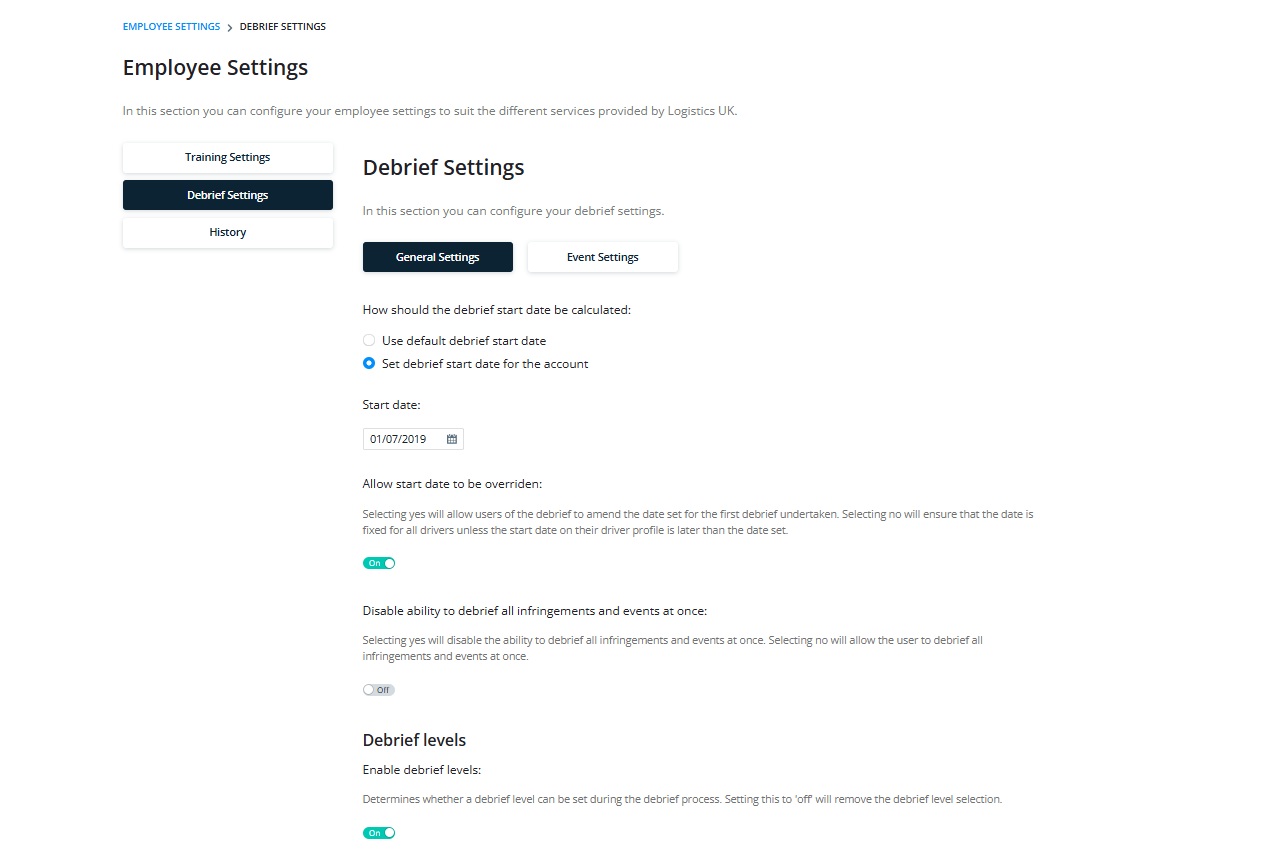
In this section you can:
- Set the debrief start date– Default is 3 months back from the current date or set a specific date for all drivers on the account on which to start their debrief period.
- Allow start date to override -If this section is one you can adjust the drivers debrief start date.
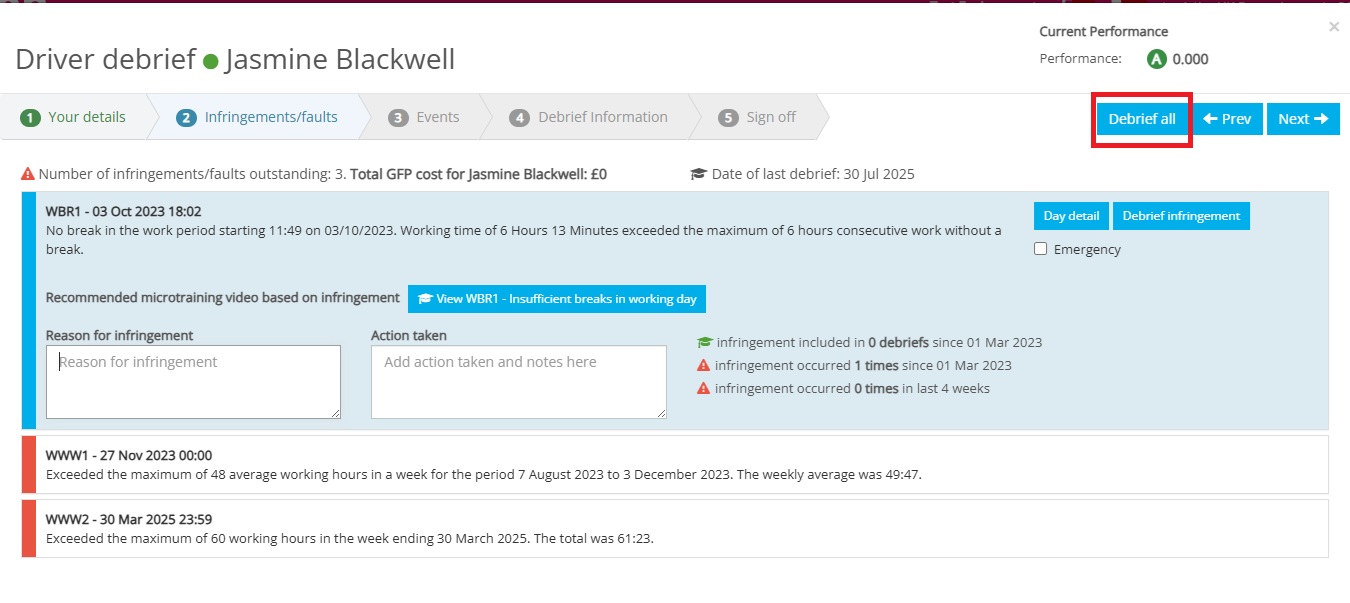
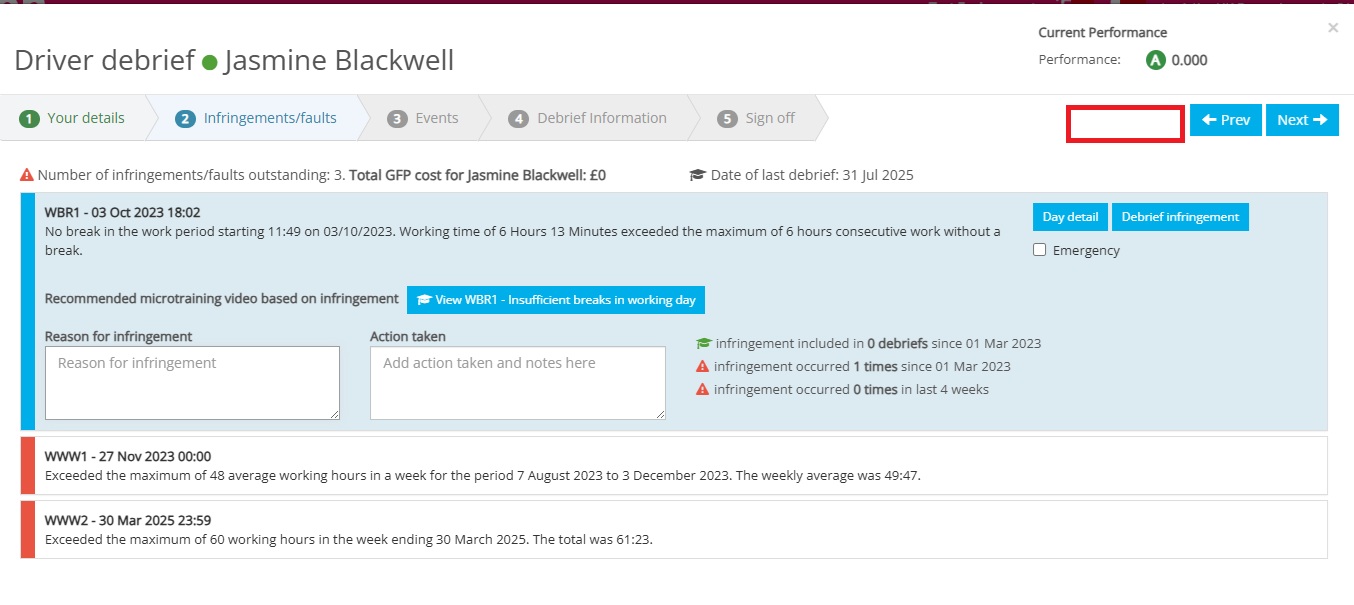
- New– Disable ability to debrief all infringements or events at once– When this is set to on the option on the “Debrief All” option will no longer be available:
 Other Settings
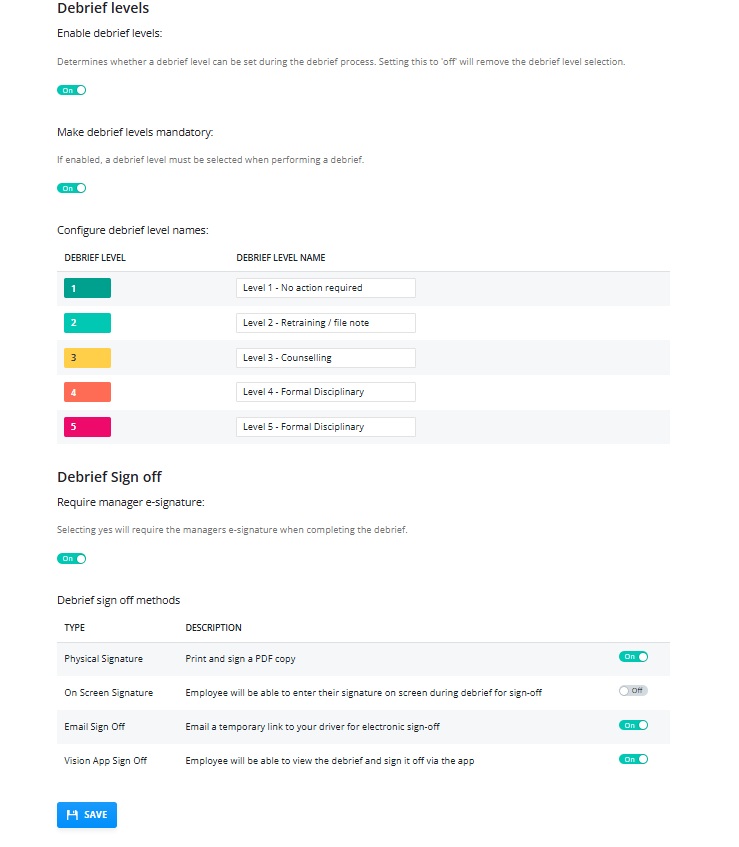
- Enable Debrief levels– when this is set to on it gives you an option to add a debrief level.
- Make Debrief level mandatory- when this is enabled it means you must add a level in order to complete the debrief process.
- The next section allows you to name your debrief levels
- New– Debrief Sign Off- Require manager signature- when set to on it creates a sign off box for managers on the debrief module:
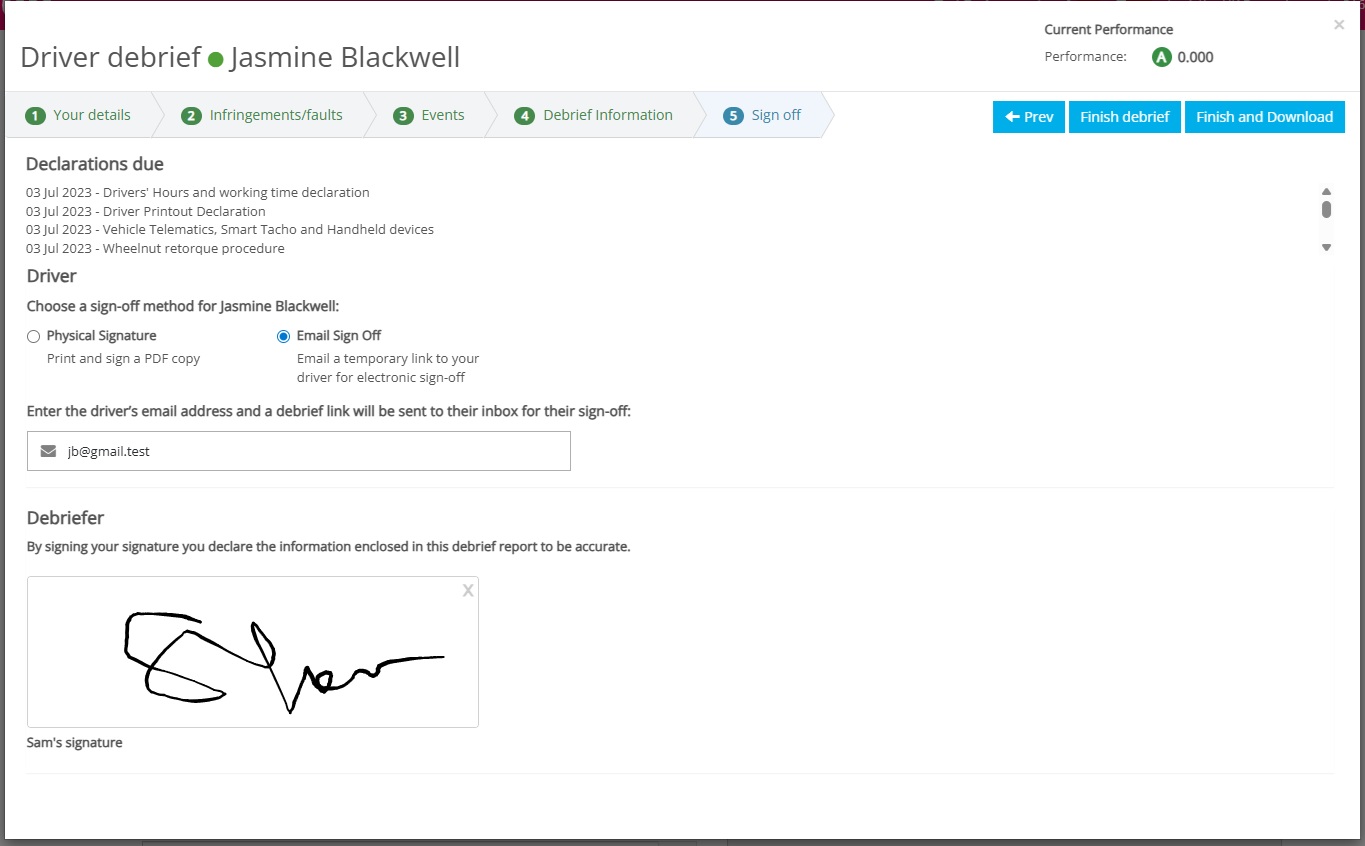
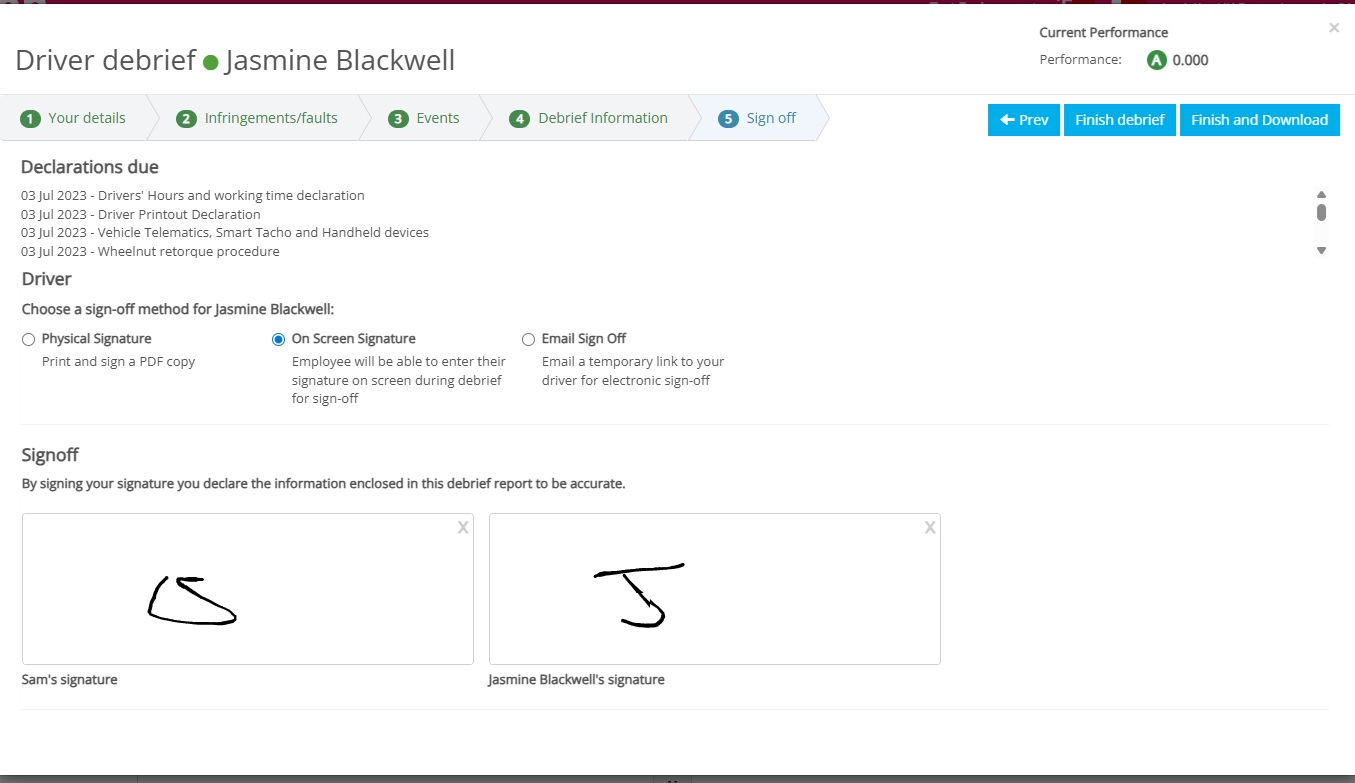
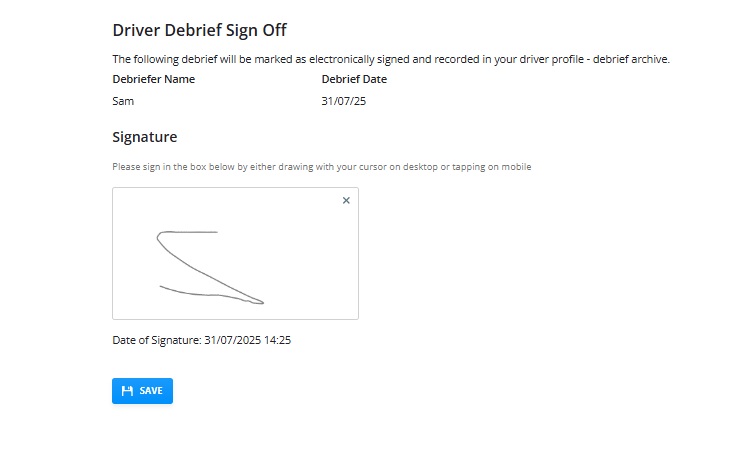
- New– Debrief Sign off Methods– this section allows you to turn on specific sign off methods. Except for the physical sign off, when set to on these will all give an option for a signature to be added.
On Screen:
Email Sign off:
Driver App sign off:
More Vision Help Articles Articles



Related Pages
Check out more news and media
Discover More

Become a Member
Our membership packages provide you with the tools to keep your operation safe, efficient and compliant.
Learn more

Press Releases
Latest updates, insights, and expert commentary shaping the future of logistics, transport, and supply chains across the UK.
Learn more

Services
Discover the full range of services from Logistics UK, designed to keep your operation safe, efficient, and compliant.
Services

Events
Discover upcoming Logistics UK events designed to bring industry leaders, policymakers, and businesses together.
Events
Stay Ahead. Stay Compliant. Stay Connected.
Join thousands of logistics professionals using Logistics UK to navigate industry change with confidence.
Join Us