













Vision Help Articles
Uploading Training Documents
We have created a brand new feature which will enable you to upload and store training documents on the training section of the driver profile.
Getting Started
If you would like this feature enabled, please contact your Account Manager or Contract Manager. If you are unsure of their contact details, please call our Customer Services team on 03717 112222 with your Logistics UK Account Number.
Uploading Training Documents
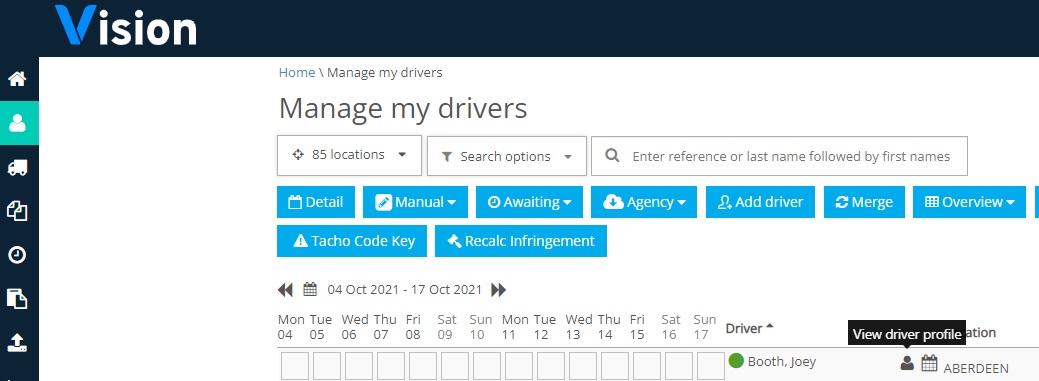
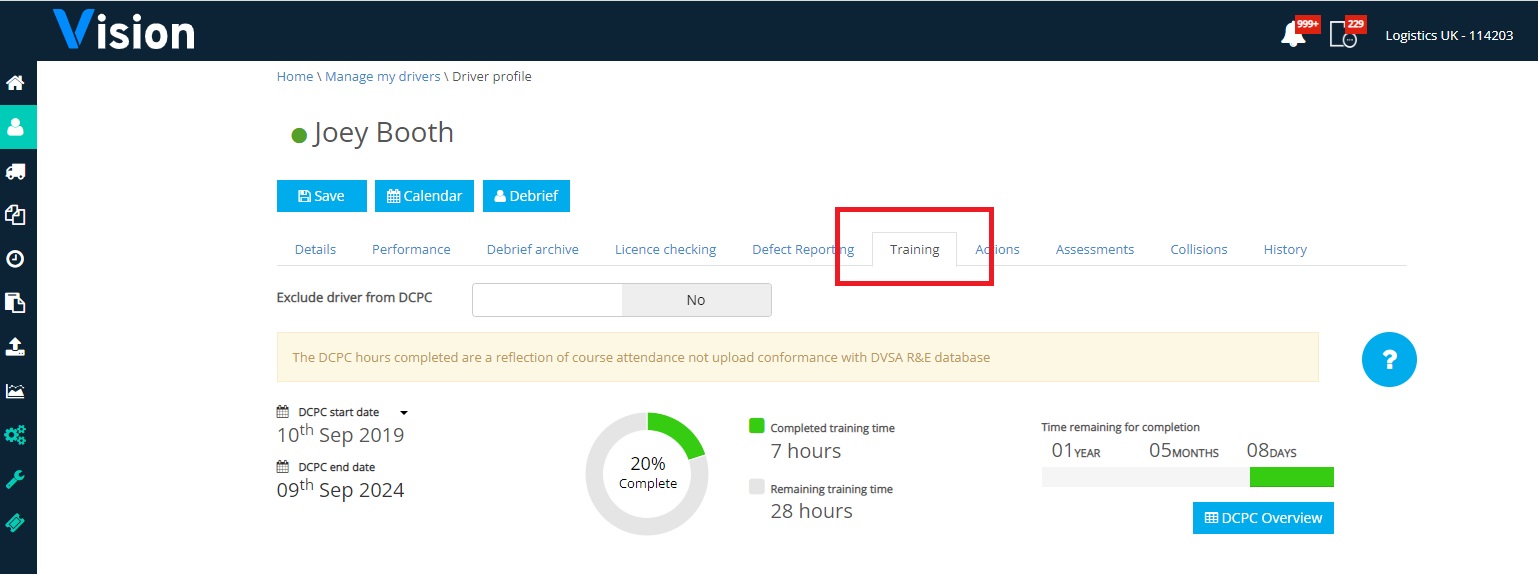
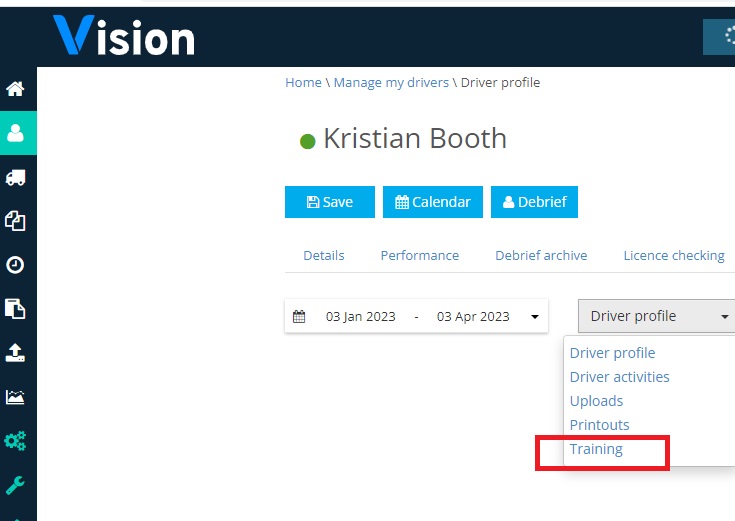
Once you have the feature enabled you can upload training documents by selecting the driver, clicking their driver profile and selecting the training tab:
Go to details of their training and click the upload tab:
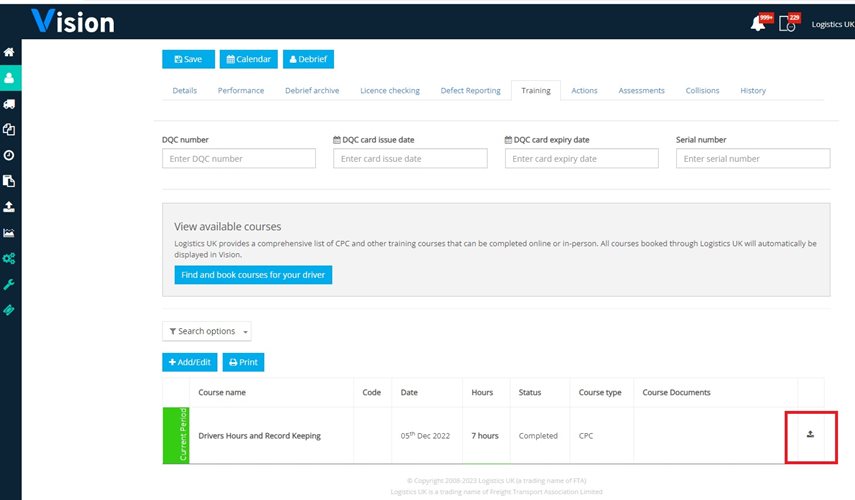 You can upload PDF, JPEG, PNG or word documents:
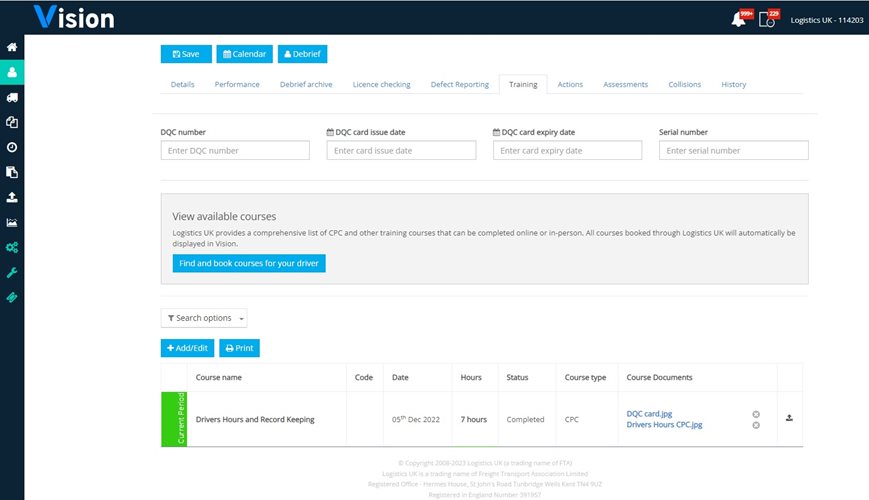
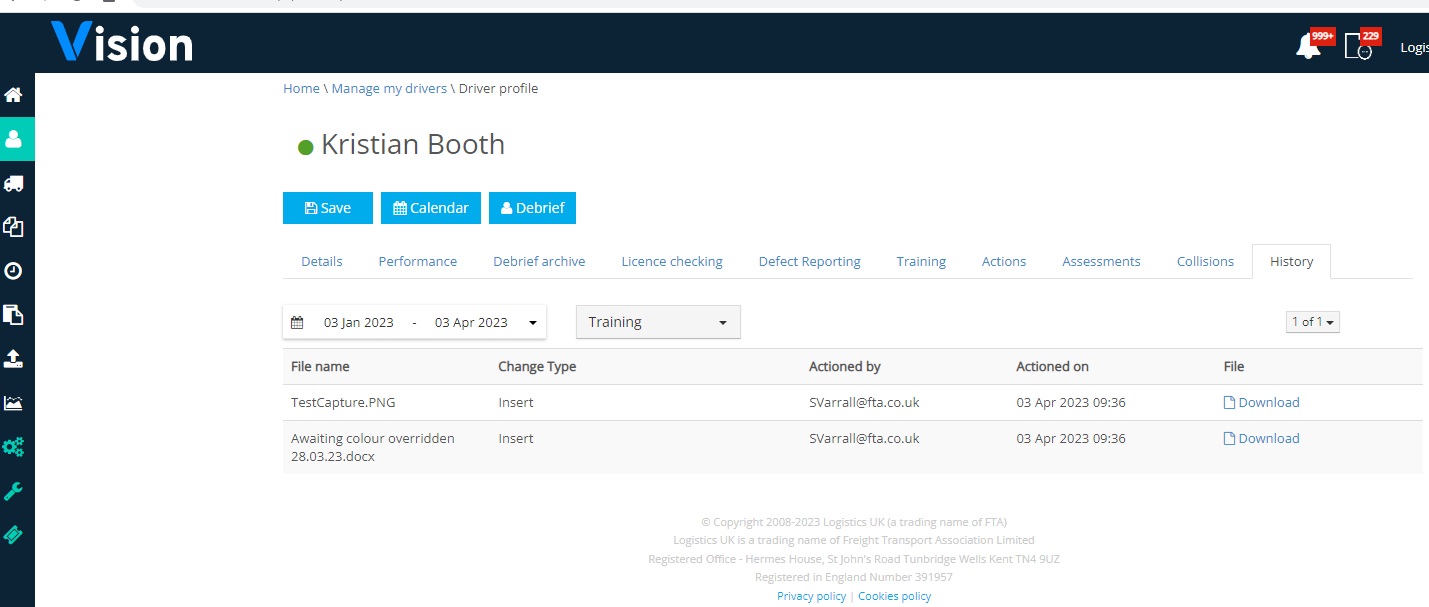
Details of uploads will also be held in the drivers history tab under “Training”:
More Vision Help Articles Articles



Related Pages
Check out more news and media
Discover More

Become a Member
Our membership packages provide you with the tools to keep your operation safe, efficient and compliant.
Learn more

Press Releases
Latest updates, insights, and expert commentary shaping the future of logistics, transport, and supply chains across the UK.
Learn more

Services
Discover the full range of services from Logistics UK, designed to keep your operation safe, efficient, and compliant.
Services

Events
Discover upcoming Logistics UK events designed to bring industry leaders, policymakers, and businesses together.
Events
Stay Ahead. Stay Compliant. Stay Connected.
Join thousands of logistics professionals using Logistics UK to navigate industry change with confidence.
Join Us